
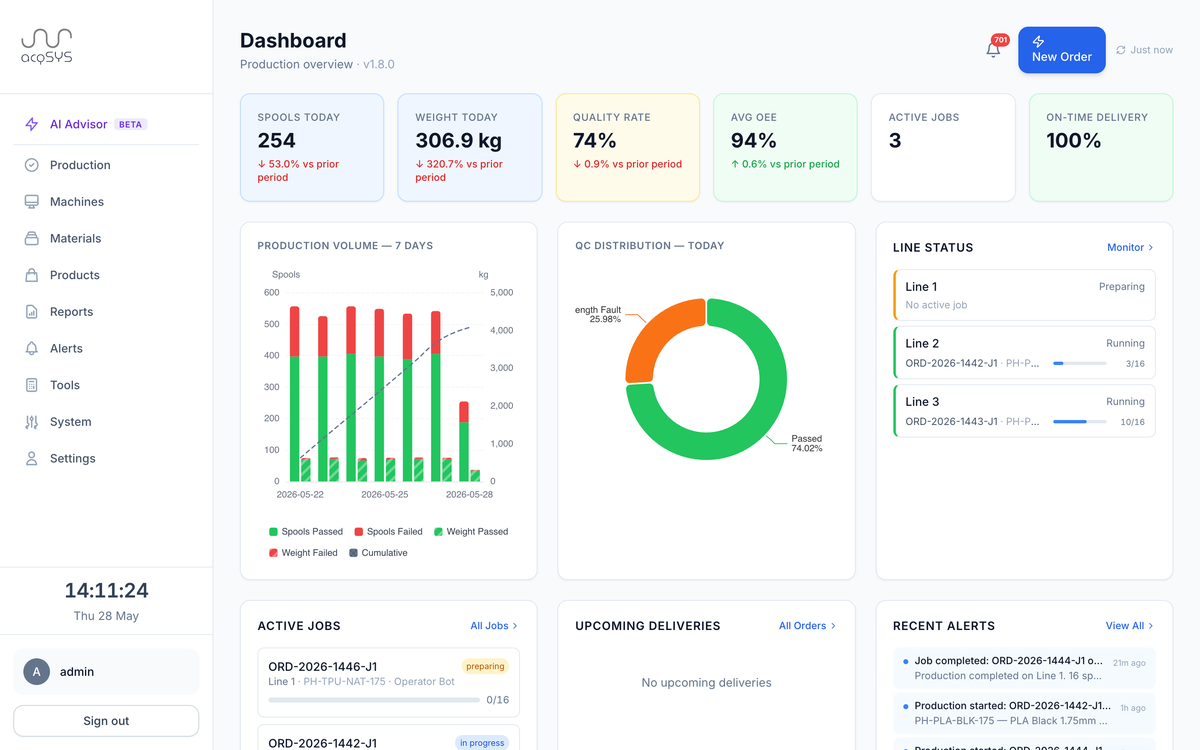
In progress · 2 jobs
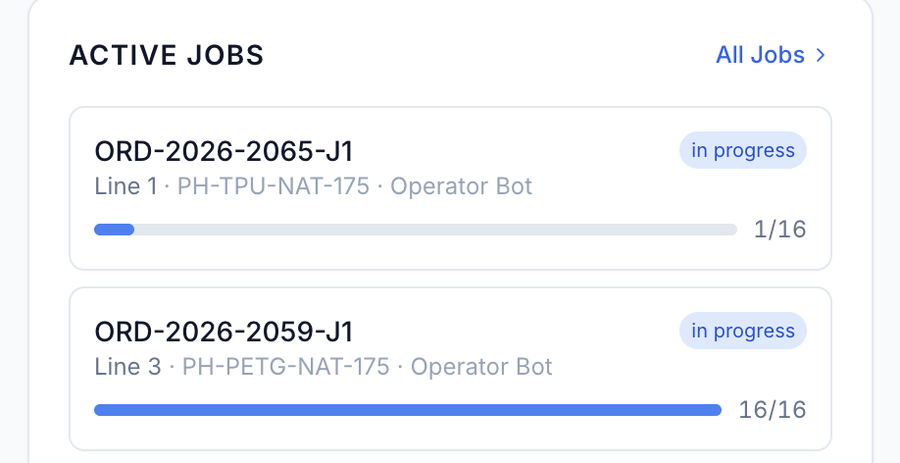
Command center
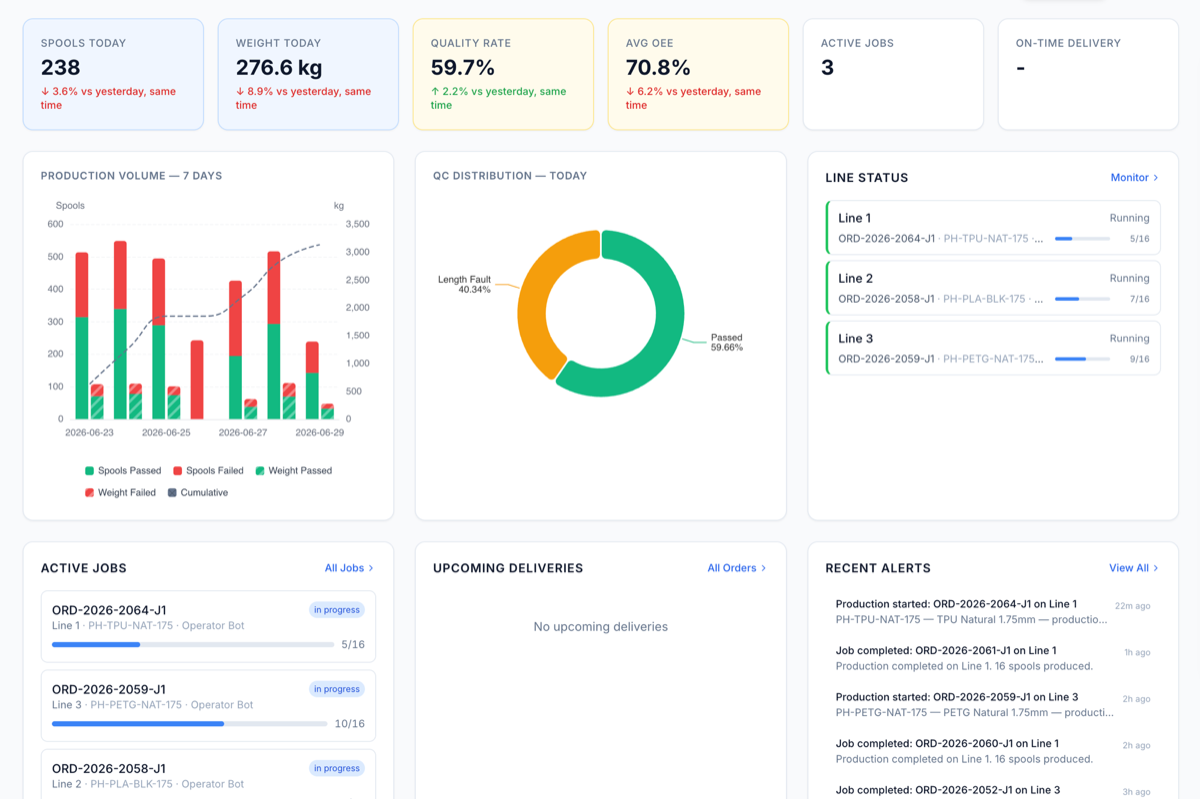
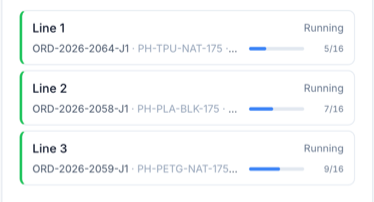
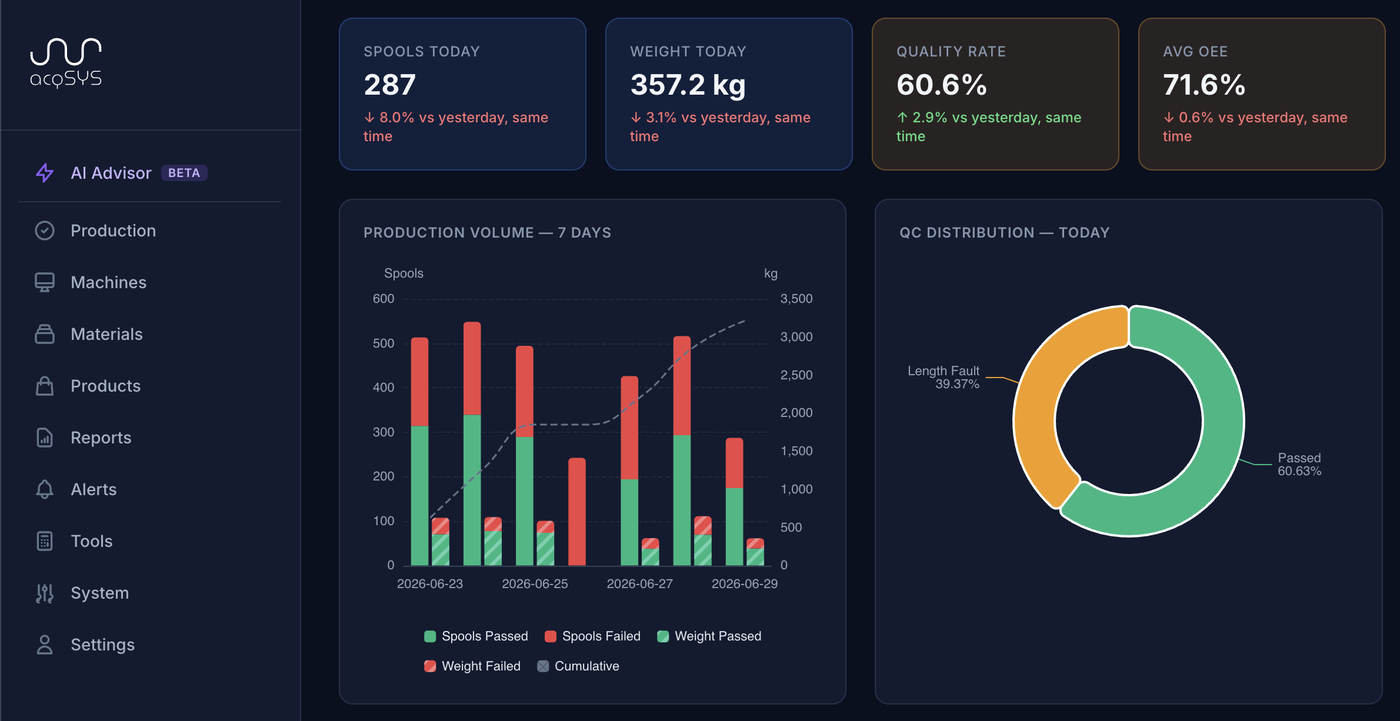
Spools today, quality rate, average OEE, active jobs — the headline numbers and which lines are running, on one screen.
From customer order to verified spool — every step visible, measured, and traceable. acqSYS connects planning, line monitoring, quality control, labels, fulfillment, and process-engineering insight in one shared workspace.
Open a simulated filament plant now, or bring a real production or process-engineering question to a guided demo. No credit card. No installation.
acqSYS turns connected production and process data into decisions today. The AI Production Planning Agent turns demand into optimized, scheduler-validated schedules; AI Process Advisor beta supports technologist review. Autonomous process control and formulation R&D automation remain roadmap work. Explore AI planning → · Explore AI Process Advisor →
Now we actually have data that is automatically logged directly from the production line’s PLC, not relying on operator notes, transcription, or data collection, that we can trace down to the second.
 3D-Fuel team · Fargo, North Dakota
Most filament factories already have the data somewhere: in a machine screen, a binder, a spreadsheet, a supervisor's memory, an R&D note, or an end-of-shift report. The problem is that it arrives after the production or engineering decision window has closed.
From the moment an order enters the backlog to the moment a labelled spool leaves the warehouse — and from the first process signal to the next optimization review — every step is connected, recorded, and visible to the people who need it.
Manually, from a spreadsheet, or from connected sales/ERP systems.
By product, priority, deadline, remaining quantity, and readiness.
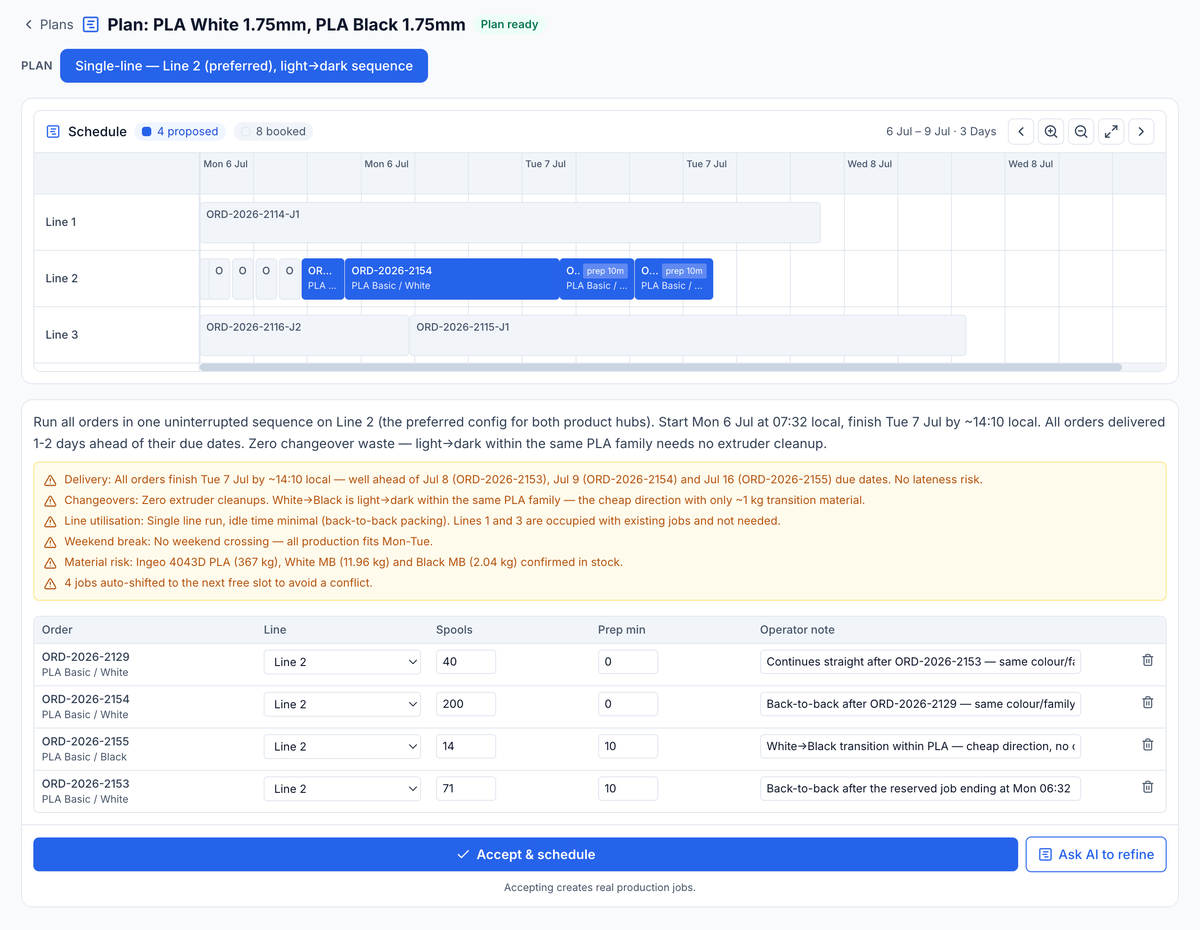
Jobs on lines with shifts and conflicts visible; the AI Production Planning Agent generates optimized, scheduler-validated schedules.
Setup time, responsibility, and readiness tracked apart from production.
Touch-friendly dashboard with shift context and job communication.
AI Process Advisor beta reads telemetry, QC, and recipe context to surface quality-risk signals for technologist review.
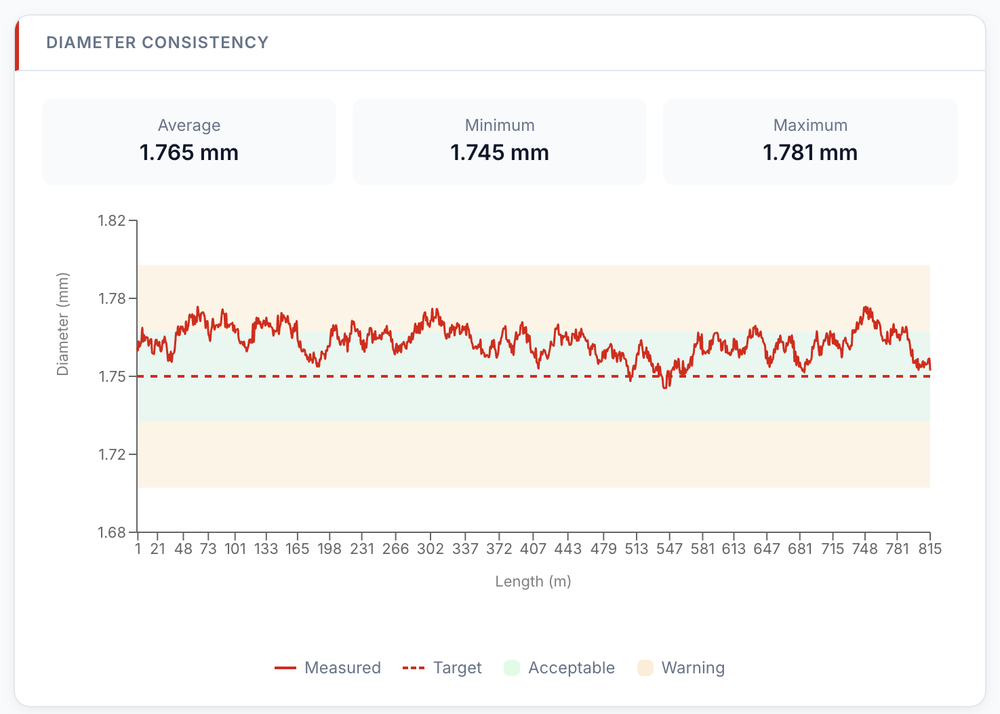
Each spool gets a measurable result and process capability context.
Product, batch, QR, and brand data — less retyping, fewer mismatches.
Final counts including transition spools before stock closes.
Production, line, operator, product, quality, process, and downtime views.
Connected process, QC, and formulation history gives engineering the evidence to tune settings, cut scrap, and develop new grades faster.
The same spool, job, order, comments, and handovers appear consistently across the command center, line monitor, operator console, planning view, spool detail, and QR verification portal.
Spools today, quality rate, average OEE, active jobs — the headline numbers and which lines are running, on one screen.
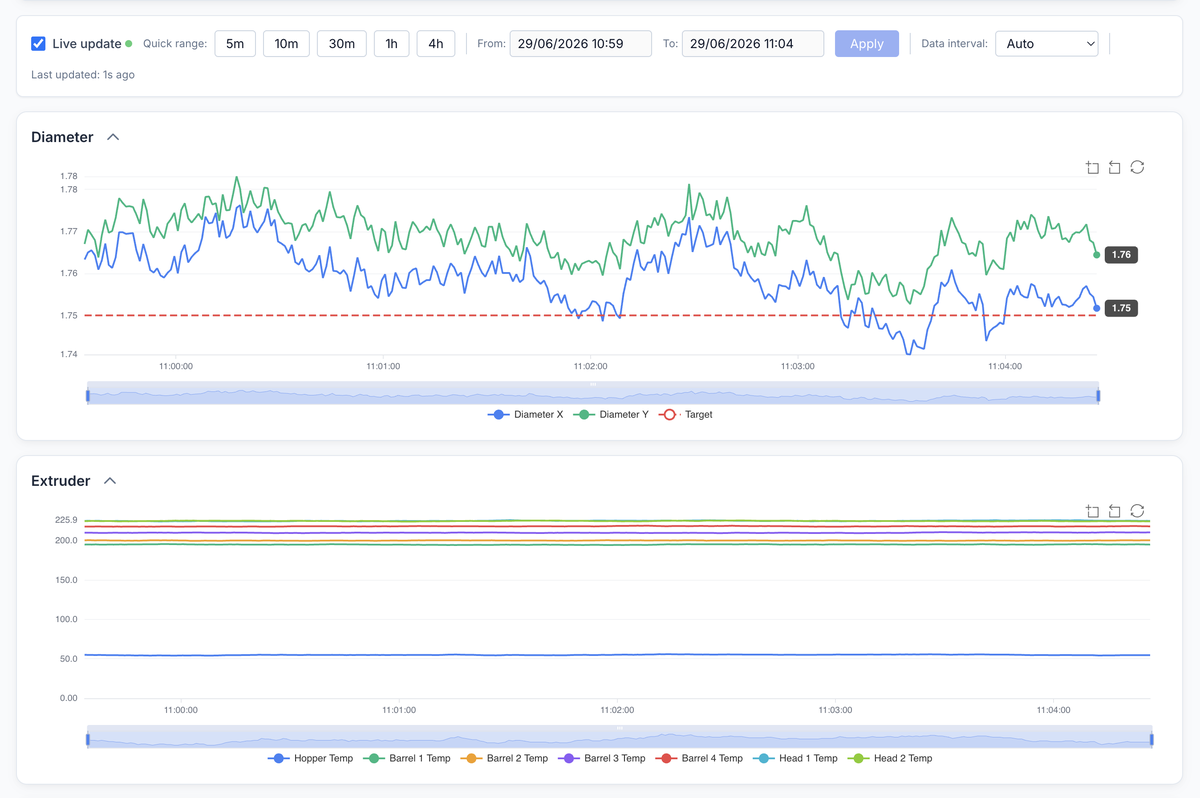
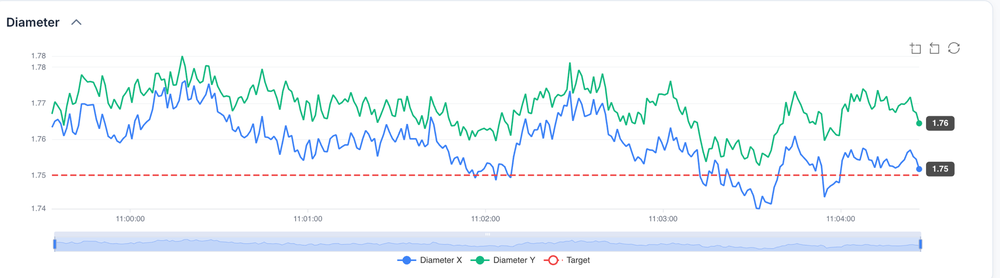
See diameter, speed, temperature, and deviation status before quality issues reach finished spools.
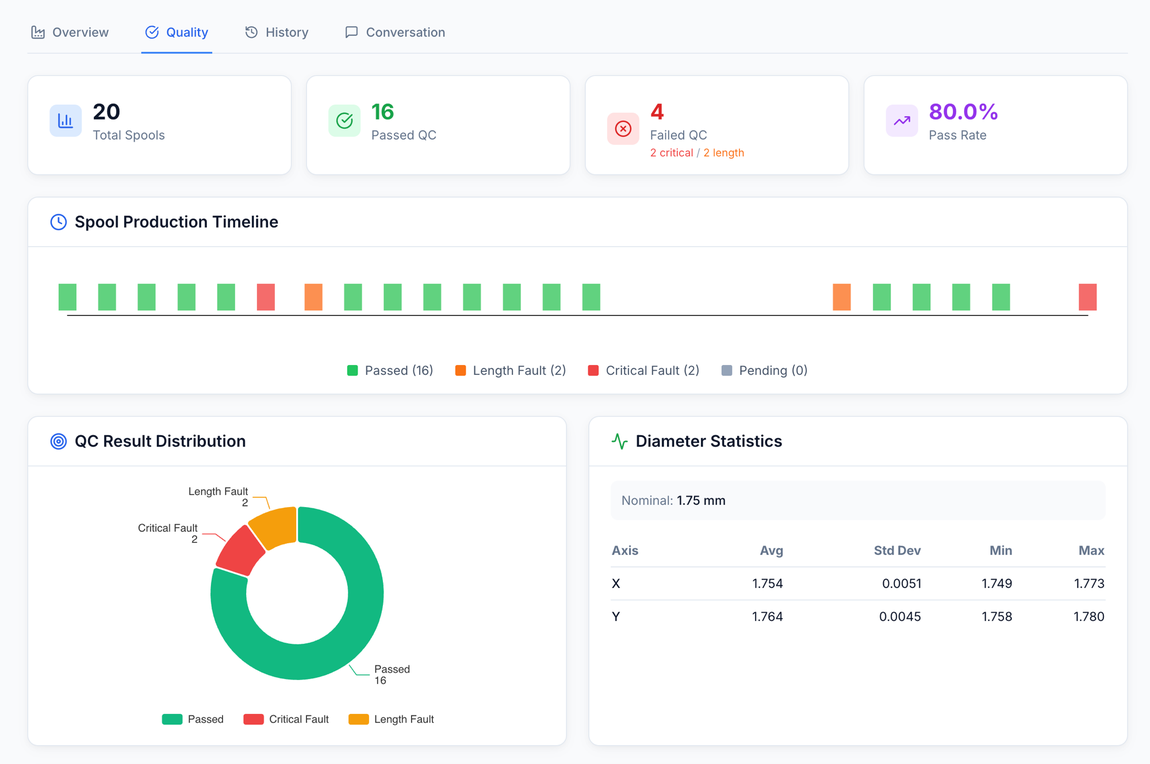
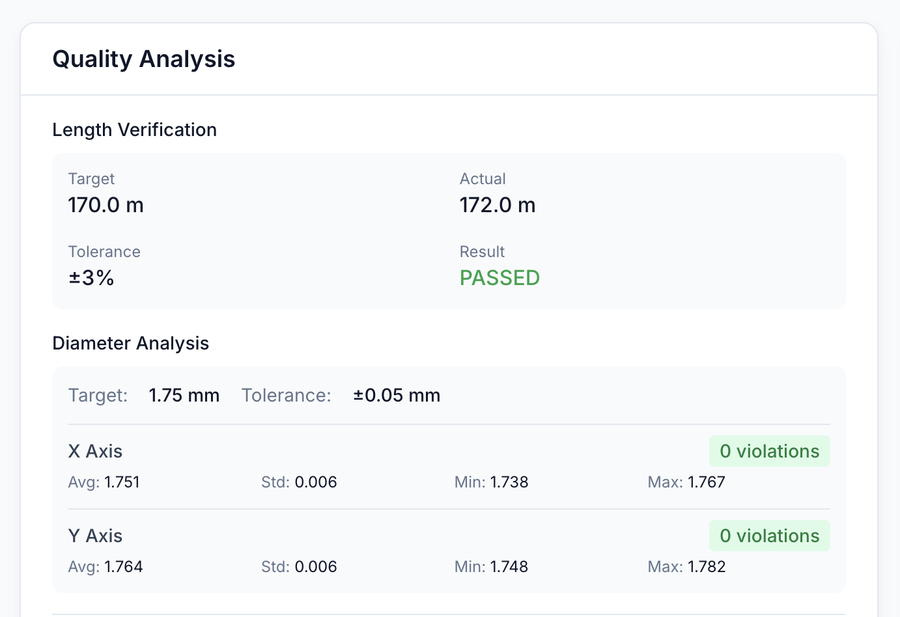
Every spool tied to the job, line, operator, recipe, and QC outcome — investigations start from one connected record.
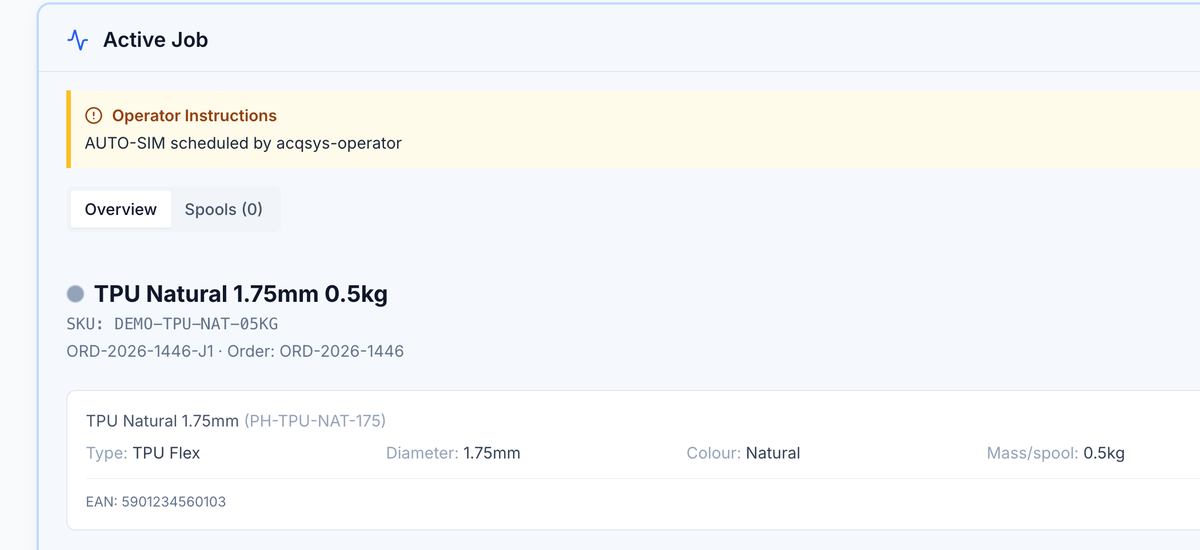
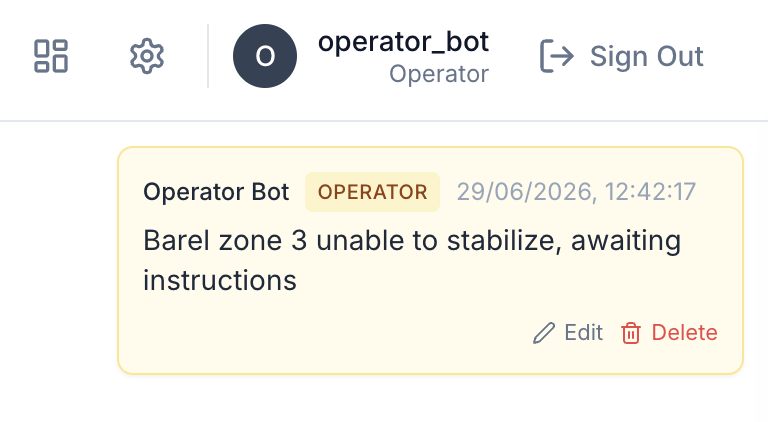
Touch-friendly screen for the shop floor — clear instructions, current shift, formulation, targets, job comments, handovers, and one-tap job actions.
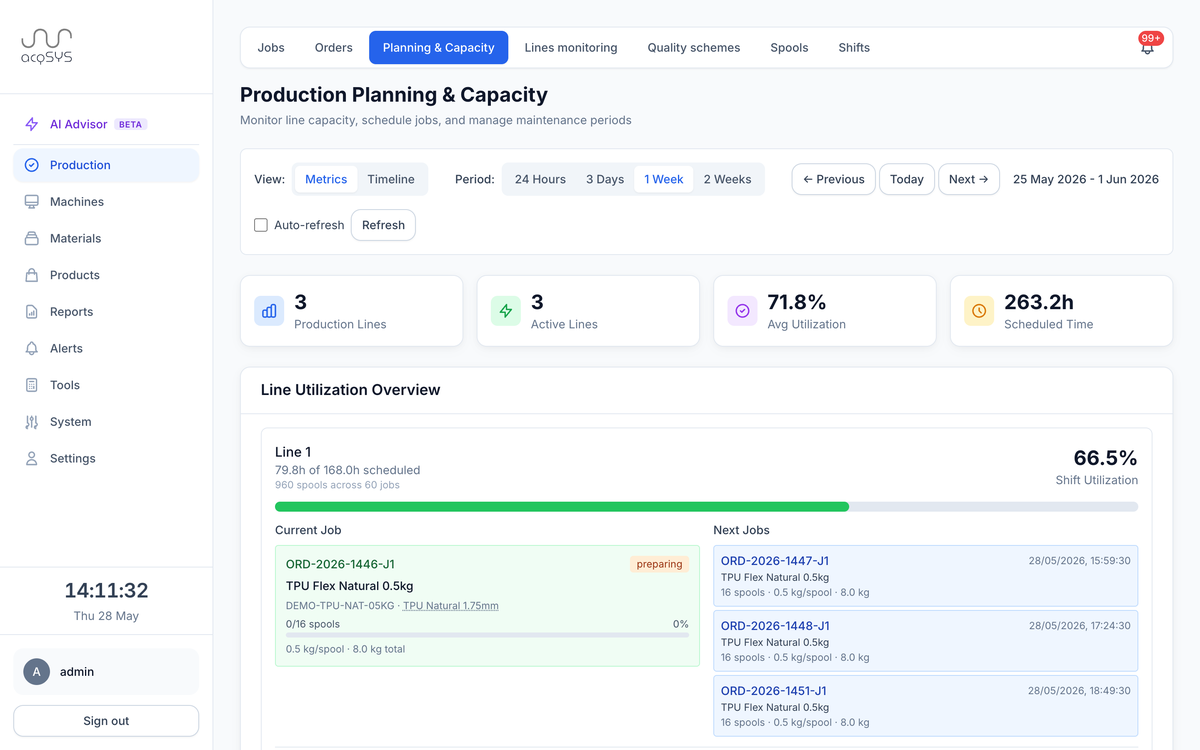
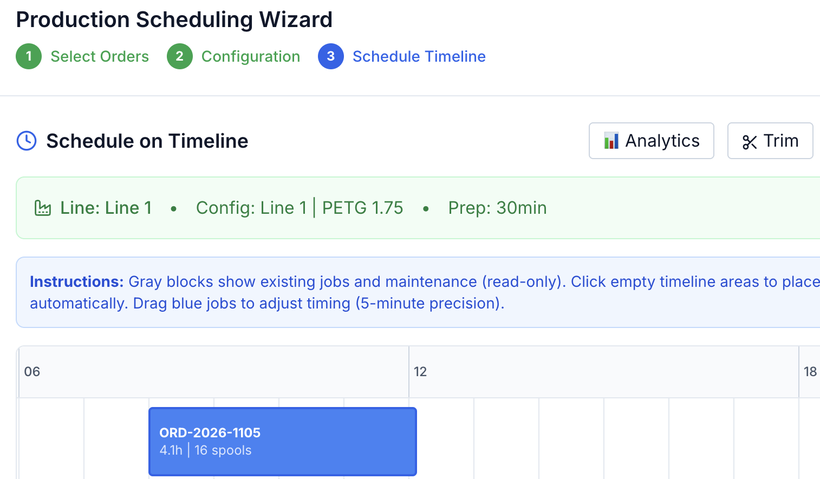
Drag-and-drop timeline across connected lines, shift-aware, with conflicts visible before release.
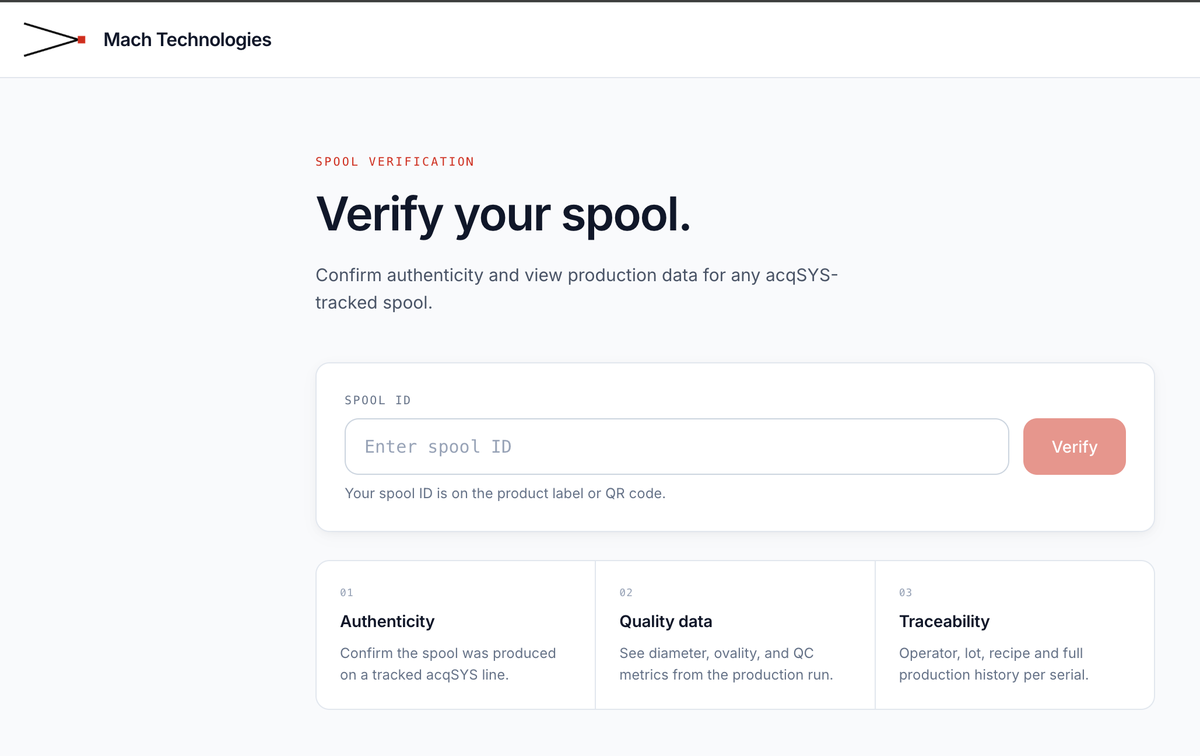
Customers scan a spool QR and see the verification details you decide to share — a customer-facing quality record in your buyer's hand.
Every feature shares one operating story, but each page begins from a different factory or engineering moment: the drifting line, the uncertain spool, the formulation trial, the label at risk, or the order that should not need retyping.
Three-tier spool QC. Process capability per spool and per product. Preserve the production context for every quality investigation.
Explore →Every spool tied to job, SKU, recipe, operator, parameters, and QC. Production genealogy. Investigation history. Customer-facing QR verification.
Explore →Branded public verification portal. Configurable disclosure. Customers scan and see what you choose to share.
Explore →See active jobs, line state, current values, and historical trends. Switch from "what's happening now?" to "what happened during this spool?" without building a spreadsheet.
Explore →Turn incoming demand into scheduled jobs. Prioritize, batch similar products, detect conflicts, and plan around shifts and machine configurations.
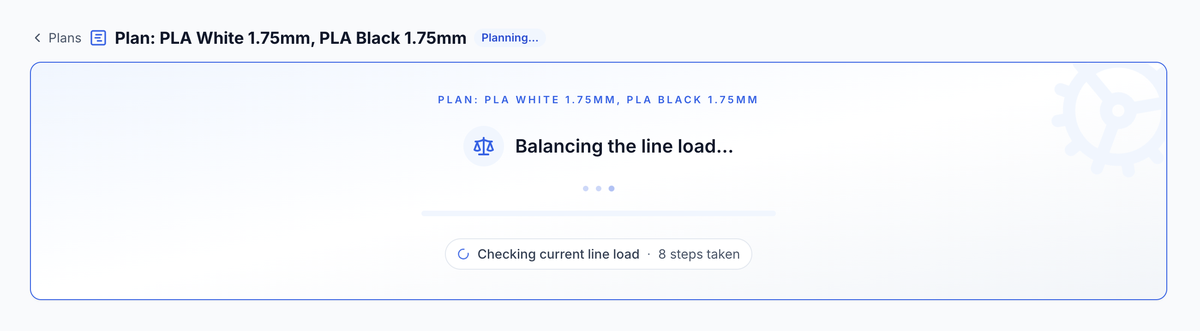
Explore →Generate optimized, scheduler-aware schedules from selected orders and backlog, edit or revise assignments, and commit the accepted plan through validated scheduling.
Explore →Surfaces quality-risk and performance-stability signals from spool telemetry and QC context, then records decisions and outcomes for continuous process improvement.
Explore →Operator dashboard, job comments, shift handovers, visual label templates, QR/barcodes, OEE tracking, threshold & pattern alerts, and four production reports — available as connected workflows.
See all features →Orders flow in from Shopify and Odoo; confirmed inventory and fulfillment flow back. REST API and webhooks open custom system boundaries on Enterprise.
See integrations →Walk all eleven steps — from the incoming order to the process-learning review that improves the next run. One platform for the full production and improvement loop.
Walk through →acqSYS has two distinct AI layers. AI Production Planning Agent is the planning workflow that turns selected demand into optimized, editable, scheduler-validated schedules. AI Process Advisor is the beta process-advisory workflow for technologist review after spool, QC, and telemetry evidence exists.
acqSYS connects to the systems you already run — no rip-and-replace. Commerce and ERP demand can enter the same production workflow instead of becoming mystery work on the floor.
The dashboard is for the first question of the day: what needs attention now? Owners, managers, supervisors, and technologists see the current floor picture before a walkaround becomes the reporting system.
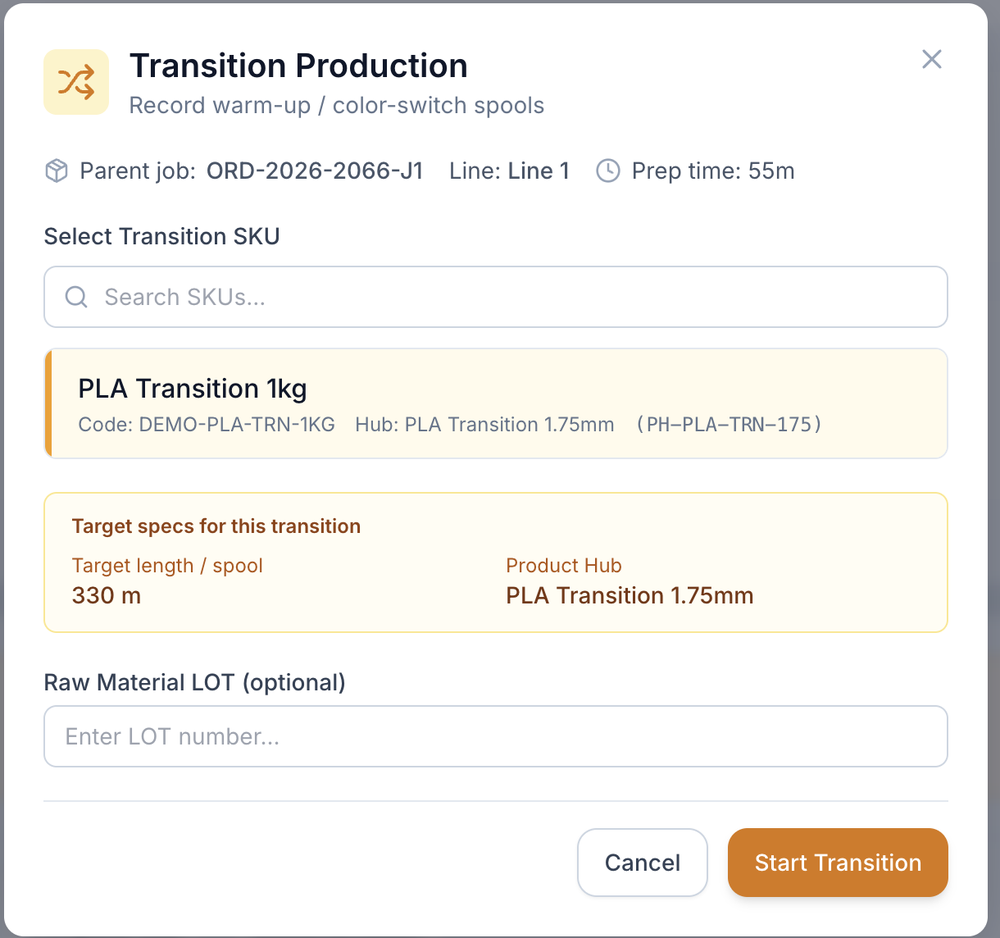
Color changes, warm-up material, and transition runs often produce usable filament — but many factories cannot count, QC, label, or sell it cleanly.
acqSYS treats transition production as managed output: separate transition jobs during changeover, full spool-level QC and traceability, dedicated labels and product identity, separate counts during fulfillment, and exclusion from normal OEE so performance metrics stay meaningful.
Result: better material use, cleaner accounting, more sellable stock, and less hidden production loss.
No separate desktop software workflow. Operators, supervisors, planners, quality engineers, technologists, and managers work from the same current production and process record at the level their role needs.
Operators see job instructions, start and complete work, track spools, view shift context, and communicate about the job.
Manage schedules, backlog, line status, alerts, orders, reports, and fulfillment from a workstation or laptop.
Check progress, quality, alerts, and delivery risk from any modern browser. No desktop software to install.
acqSYS prices the connected production line, not each person who needs the truth. The core visibility and spool-proof workflow stays together.
Real-time monitoring, three-tier QC with Cpk, OEE, operator dashboard, line configuration management, and complete spool traceability — included.
See what's includedEverything in Starter plus standard platform integrations, capacity planning, the AI Production Planning Agent, label printing, public QR verification, advanced alerts, and all four reports. AI Process Advisor beta adds quality and performance decision support.
See what's includedEverything in Professional plus REST API, webhooks, dedicated support, custom integration projects, and on-premise on request.
Talk to salesShort answers for the first filters: whether acqSYS is truly filament-focused, how line pricing works, what the demo includes, and how machine data is scoped.
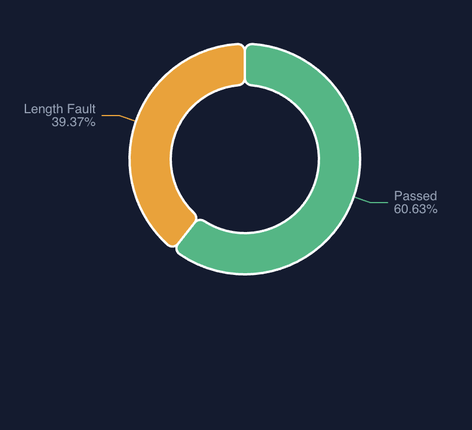
No. acqSYS is built for filament extrusion. It distinguishes a manufacturing formula from a sellable SKU, classifies spools as passed / length fault / diameter fault rather than a single pass/fail, tracks transition production as sellable product, and separates preparation time from production time so OEE stays meaningful. These are filament-production realities, not generic-manufacturing add-ons.
A production line is the line you connect to acqSYS — typically an extruder with its cooling baths, haul-off, winder, and associated equipment. Pricing is per production line, not per configuration, so you can freely adjust that line's setup inside acqSYS without creating a new billing unit. Users are unlimited on every tier.
Yes. Register at demo.acqsys.eu/register for a 7-day account with Professional-tier workflows and three simulated production lines. No credit card required.
Live line telemetry — diameter (1 to 3 axes), speed, temperature, pressure, energy consumption, and the measurable signals you choose to bring in — through validated protocol connectors for OPC UA, Modbus TCP, MQTT, Beckhoff ADS, and EtherCAT. If a value is measurable and reachable, acqSYS can track it; connection scope is confirmed during onboarding.
Yes — that focus is the point. acqSYS is built and maintained for 3D printing filament manufacturing, with feedback from the lines it runs on. It is not a horizontal platform stretched to fit.
Bring a concrete production or process problem: a planning conflict, a drifting diameter, a transition run, a formulation trial, or an unclear QC result. We will show how the connected record changes both the operating decision and the improvement loop.