Features / Run the line & cut scrap

02 Operator dashboard

Give operators the next correct action on the floor.

The operator dashboard turns planned work and approved process knowledge into guided execution: assigned jobs, preparation, production confirmation, spool progress, and QC feedback. It is the execution surface on the floor — supervisors and technologists watch the same lines from real-time monitoring.

Use the demo to follow an operator from job start through QC and label action.
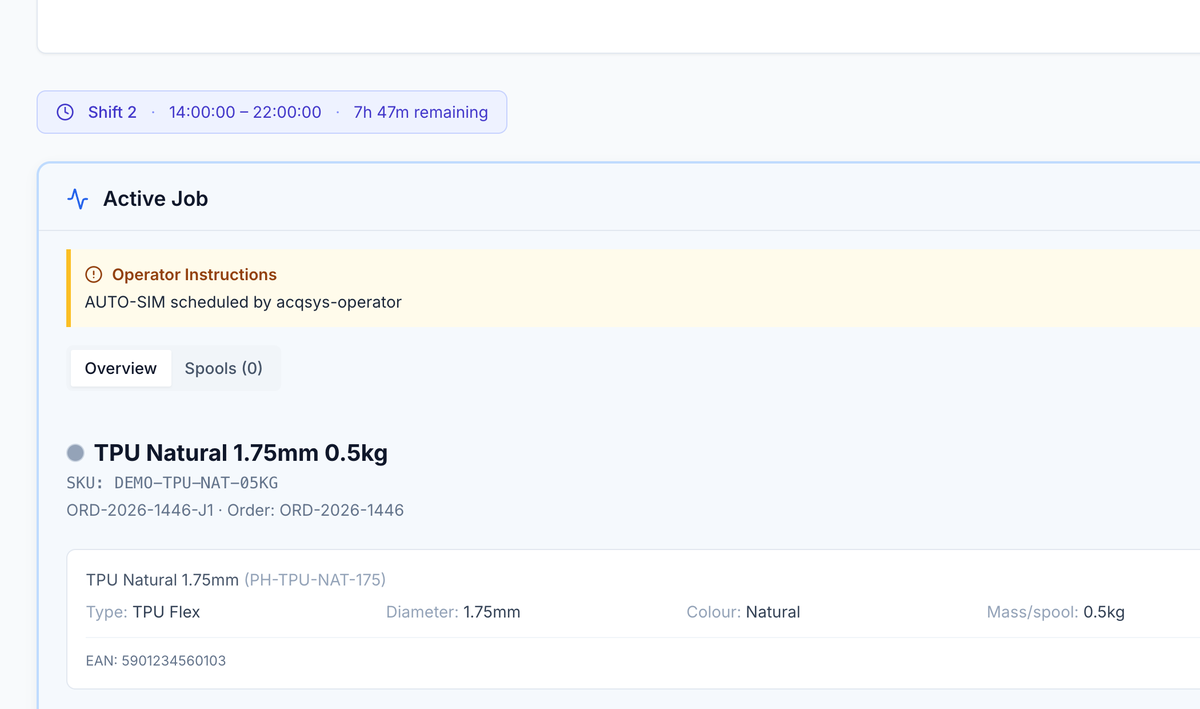
Operator console with the active job: operator instructions, product and order context, and job documentation.
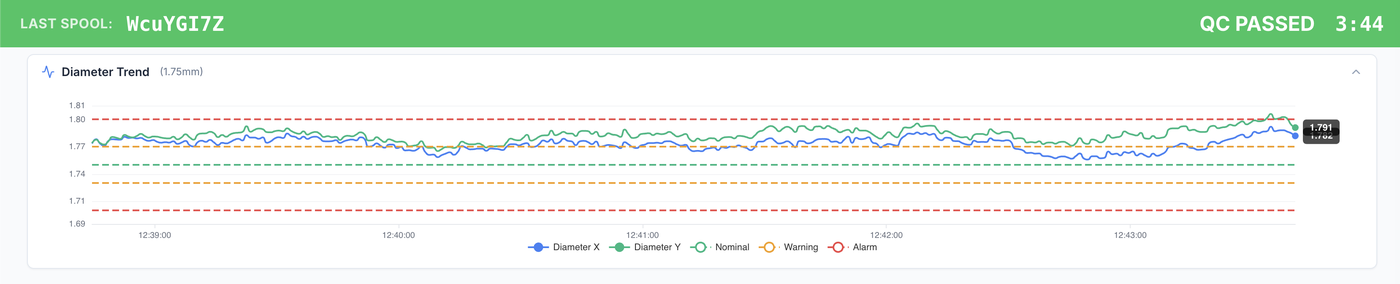
Last spool WcuYGI7Z · QC passed
Operator console banner: last spool WcuYGI7Z passed QC at 3:44, with the live diameter trend against nominal, warning, and alarm bands.
Primary user

Line operator

Built for repeated shop-floor actions rather than back-office browsing.

Cleaner data

Preparation phase

Setup work is separated from confirmed production so spools and OEE are cleaner.

Language support

English, Polish, Spanish, German, Ukrainian, Italian

Operator UI supports multilingual teams through a saved language preference.

What you get

Operators get the next action; you get clean production data.

Assigned work, the prep split, and floor feedback — captured as the operator works, not typed up after the shift.

01 — What to run

Assigned work

Released and available jobs with line, shift, product, order, and operator context.

02 — Clean start

Prep split

Start preparation first, then confirm production when spool tracking should begin.

03 — What comes back

Floor feedback

Spool progress, faulty-spool counter, QC feedback, job comments, and documentation.

The moment

Operators should not hunt through a manager system to run a line.

On the floor, vague instructions create expensive drift. Operators need the right job, line, setup context, process targets, spool status, QC feedback, and handoff signal without having to translate planning or engineering language into line actions.
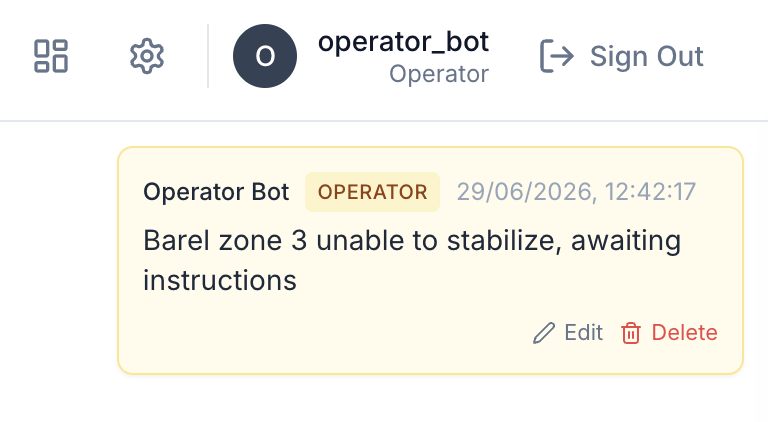
Zone 3 unstable · to job record
Operator job comment from operator_bot: barrel zone 3 unable to stabilize, awaiting instructions.

A floor surface, not a manager screen squeezed onto a tablet. When barrel zone 3 would not stabilize, the operator's comment reached the job record with full context — no radio call, no paper note.

With acqSYS What changes

  • The dashboard separates preparation from confirmed production, protecting spool counts, QC windows, and OEE.
  • Operators see active job context, available jobs, spool progress, faulty-spool counters, and completed job history.
  • Digital documentation and process targets are available near the action instead of living in paper binders or chat threads.
01 — Workflow

Every operator sees the next correct action — and leaves evidence behind it.

Each action leaves evidence that managers, QA, reports, and traceability can reuse.
  • Pick work — Open assigned or available jobs with product, order, line, and shift context.
  • Prepare line — Start the preparation phase and keep setup output separate from real production.
  • Confirm run — Begin spool tracking only after production is confirmed.
  • Close evidence — Record spools, QC feedback, comments, handoff, label actions, and completion.
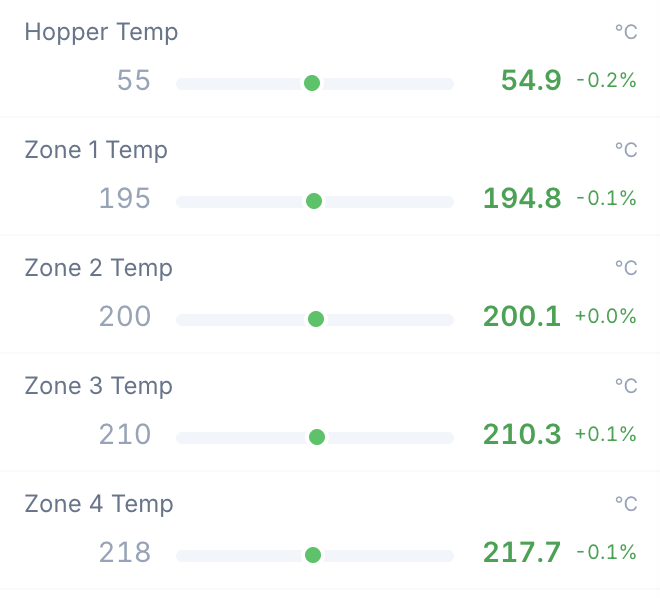
Hopper + zones · in tolerance
Live target-versus-actual temperatures for hopper and barrel zones, all within tolerance.
On the floor

Operator controls

  • Start, pause, resume, overtake, complete, and close job flows.
  • Spool tab with passed and failed context.
  • Job comments and documentation panels.
In the office

Manager benefits

  • Cleaner responsibility for who did what and when.
  • Better separation between setup, downtime, and production.
  • More reliable inputs for OEE, traceability, and reports.
Real conditions

Floor fit

  • Multilingual UI for mixed teams.
  • Compact active-job state instead of dense admin forms.
  • Advisor (beta) suggestions reach operators only as reviewed job instructions — never raw AI output.

Honest scope Operators need reviewed instructions, not silent automation.

AI Process Advisor is a separate beta review workflow for technologists and managers. Operator-facing guidance arrives as reviewed job instructions or comments.

acqSYS advantage Every start, spool, comment, and handoff lands in the same production record.

The dashboard is where job lifecycle, batch traceability, spool progress, OEE, QC, documentation, comments, and multilingual execution meet.

Connected features

What operators do becomes what everyone else knows.

The operator dashboard is where the connected record is created — its actions feed documentation, traceability, and floor communication.

See Operator dashboard in action

See what your operators would actually use.

Walk us through a shift and we will show how assigned jobs, the preparation split, QC feedback, and label actions fit your floor.