acqSYS works because every step leaves evidence: what was ordered and planned, what the operator ran, what the line measured, how the spool passed or failed, and what the team learned next.
During implementation, the system is configured around your actual operation: production lines, machine configurations, shifts, operators and roles, product formulations, commercial variants, QC rules, label templates, order sources, and reporting needs.
Implementation proof: the model starts from your real lines, roles, products, QC schemes, labels, and order sources instead of forcing the plant into a generic route.
Orders can be created manually, imported from spreadsheets, or pulled from connected systems. Planners see priority, deadline, product, remaining quantity, and production readiness.
Planning signal: demand stops living in inboxes, separate exports, or verbal promises and becomes visible production work.
Planners turn backlog into scheduled jobs across lines. Shifts, line availability, machine configurations, conflicts, priorities, and batching opportunities are visible. For complex demand, the AI Production Planning Agent generates optimized, editable scenarios from selected orders and manager directives.
Decision point: the planner can see what should run, where it can run, which scenario best fits the constraint, and which conflict must be solved before release.
The job enters preparation before production starts. Operators see the right product documentation, machine setup, formulation, process targets, shift context, and comments. Preparation time is tracked separately from production time, so setup is kept out of the line's production-performance picture.
Evidence created: setup work has its own time, owner, instructions, process targets, and comments instead of being hidden inside production performance.
As production runs, acqSYS tracks line status, progress, process values, downtime, comments, and job events. Supervisors and managers see what is happening without waiting for end-of-shift reports, while AI Process Advisor beta can watch the same production context for quality-risk and performance-stability signals.
Shift control: supervisors see live progress, process values, comments, and downtime while there is still time to act.
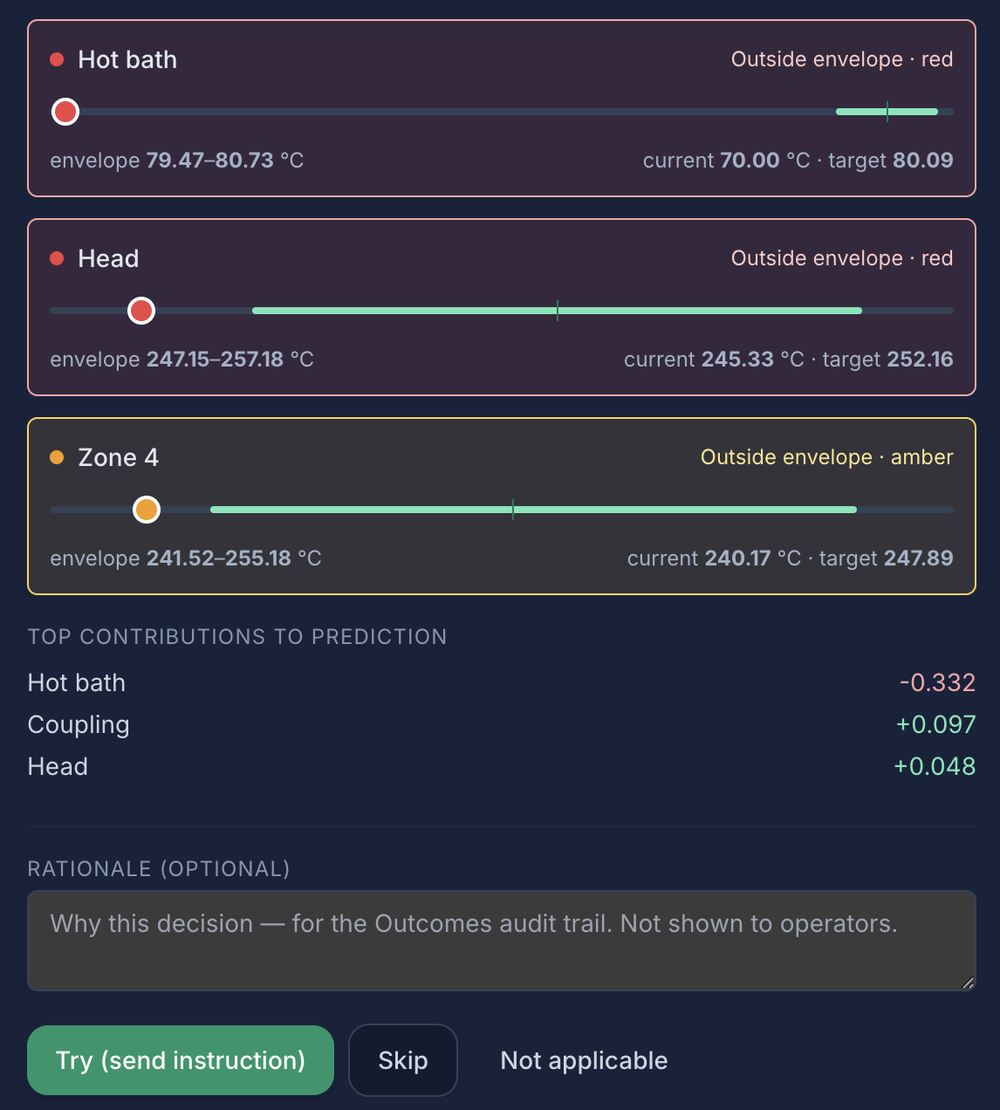
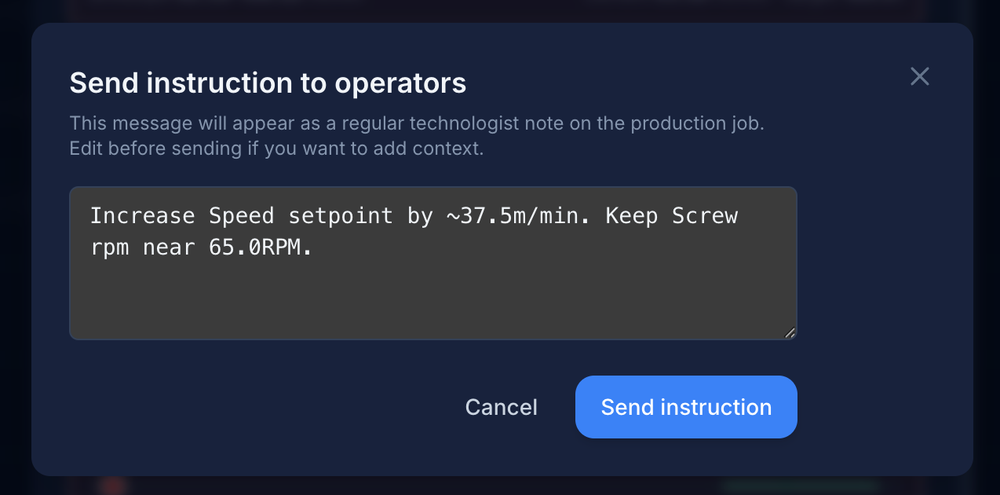
AI Process Advisor beta compares spool telemetry, QC outcomes, recipe context, and process history. It can surface signals for technologist review and connect each recommendation to later outcomes, so the team can learn which changes improve throughput, reduce scrap, and improve product quality.
Learning loop: a setpoint, recipe, or process suggestion is not the end of the story; the later measurement window and recorded decision show whether the change deserves trust.
Each spool is classified — passed, length fault, or diameter fault — with Cpk process-capability context, not a vague pass/fail. Quality is connected to product, line, operator, job, measurements, traceability, and the AI Process Advisor beta loop where enabled.
Spool proof: the QC result stays attached to the exact spool, job, line, operator, recipe, process settings, measurements, and production period.
When a spool is approved, acqSYS can print the correct label from reusable templates with ProductHub/SKU/spool/QC variables. QR codes, barcodes, and public verification links can be included where required.
Packaging handoff: label data comes from the connected spool record, so QC, SKU, spool identity, QR, and brand details stay aligned.
Managers confirm final production counts, including transition spools where relevant. Inventory and fulfillment updates can be sent back to connected systems.
Warehouse handoff: output becomes stock only after the manager confirms what was actually produced, including transition spools.
Reports show production output, OEE, quality, line performance, operator activity, product trends, downtime reasons, and delivery risk. AI Process Advisor beta outcomes add another layer: which process decisions improved throughput, reduced scrap, improved quality, or need more evidence.
Improvement rhythm: reports and advisor outcomes show where performance, quality, downtime, product behavior, or process stability needs the next decision.
When enabled, AI Process Advisor reads spool telemetry, QC context, recipes, and process history from the same connected record. It helps technologists review quality-risk and performance-stability signals, record decisions, and compare later outcomes while the current beta stays decision support.
Implementation is scoped before rollout because every plant has different machines, product families, process targets, label rules, data availability, reporting habits, R&D expectations, and integration boundaries.
Lines, products, current tools, reporting pain points, quality workflow, labels, orders, process constraints, R&D questions, and integration needs.
Lines, shifts, users, roles, products, formulations, process targets, QC rules, labels, and order workflows.
Selected products and lines through acqSYS with real operators and supervisors.
Less manual work, better visibility, clearer QC, faster reporting, fewer mistakes, and better signals for throughput, scrap, and quality improvement.
Bring additional lines, products, users, labels, integrations, and reports into the same operating model.
Use reports, AI Process Advisor beta outcomes, and team feedback to refine planning, process settings, formulations, quality rules, labels, alerts, and workflows.
Bring a real path: how demand arrives, how you choose the line, what operators need at setup, which process signals or QC result create debate, what R&D question needs evidence, and what report management trusts. We will map that path through acqSYS.