Every acqSYS feature is a door into the same connected record: order, ProductHub, job, line, operator, process signals, spool, QC, label, report, fulfillment, integration, AI-assisted planning, and AI-supported process review.
The morning meeting, the drifting line, the unstable process window, the uncertain QC result, the risky label, the manual report, the formulation question, the order that should flow in from commerce — start from the moment your team feels first.
Orders, jobs, lines, spools, QC, labels, fulfillment, reports, and integrations refer to the same work.
Formulations, targets, gauge windows, telemetry, ProductHub/SKU split, Cpk, planning scenarios, and advisor outcomes are first-class.
AI planning turns demand into optimized schedules today; the advisor beta advises; autonomous process control stays roadmap. Integration status, telemetry requirements, and roadmap boundaries are stated plainly.
3D-Fuel runs acqSYS in live filament production — planning, spool QC, and traceability on real extrusion lines.
Read the case study →In a consolidating filament market, documented consistency is what separates a premium spool from a commodity one. QC, traceability, verification, and the label all resolve to the same physical record.
The whole proof story in one place: automatic QC and Cpk, spool genealogy, public QR verification, and labels resolving to one physical record — the consistency small filament makers win on, framed for customers rather than compliance.
In the demo: scan a spool QR and follow the proof back to the job that made it.
Explore →acqSYS links each spool QC result to line, job, ProductHub, operator, gauge mapping, measurement window, length verification, Cpk where available, and public verification when configured.
In the demo: open a failed spool and follow measurement, process window, and production context.
Explore →Every physical spool is tracked through production, process telemetry, QC, label, edits, public verification, and reports so investigations start from one connected record.
In the demo: start from a label or spool number and reconstruct the production evidence.
Explore →A spool label QR becomes a public verification page showing the product, production, QC, Cpk, document, and spool identity fields you choose to share.
In the demo: scan from QR to public proof, then back to internal traceability.
Explore →acqSYS includes a label-template workflow with visual editing, layers, ProductHub/SKU/spool/QC variables, QR codes, barcodes, uploaded images, template resolution, printer assignments, manual printing, and post-QC printing when configured.
In the demo: approve a spool and watch variables resolve into the printed label and QR path.
Explore →These pages connect shop-floor execution with process knowledge and the losses behind the numbers: what the operator needs now, what the supervisor sees during the run, and where scrap and idle time come from.
Live values stay connected to the job, ProductHub, process targets, operator, QC window, downtime, and spool record so deviations are visible while the line is still running.
In the demo: start with the channels that influence QC decisions and spool interpretation.
Explore →The operator dashboard turns planned work into guided execution: assigned jobs, preparation, production confirmation, spool progress, QC feedback, label actions, handoff, job comments, and digital documentation.
In the demo: follow an operator from job start through QC feedback and label action.
Explore →acqSYS turns ProductHub, SKU, machine setup, process settings, reel details, order context, and operator instructions into live job documentation used by planning, operators, technologists, QC, labels, and reports.
In the demo: open one job carrying formulation, process targets, machine setup, QC, label, and order context.
Explore →ProductHub separates manufacturing formulation from commercial SKU identity, then connects recipes, raw materials, machine configurations, process settings, QC schemes, labels, and R&D context to production jobs.
In the demo: review a formulation and see where it appears in setup, QC, reports, and process review.
Explore →acqSYS turns OEE into loss analysis: where availability, speed, and quality losses actually come from — preparation-aware availability, downtime, target vs actual speed and length, produced spools, and QC outcomes — so you can attack scrap and idle time, not just read a number.
In the demo: see how preparation time, speed assumptions, and quality outcomes change the losses.
Explore →Each page covers the operational pain, the engineering evidence, what changes with acqSYS, who uses it, and where the current-vs-roadmap boundary sits.
acqSYS gives owners, plant managers, and supervisors a single operating view of what is running, what is stuck, what is at risk, and where to drill next.
In the demo: compare your daily meeting with the live command-center flow.
Explore →Planners turn customer demand into scheduled jobs by grouping backlog by ProductHub, checking line configuration availability, estimating duration, and keeping delivery urgency visible before release.
In the demo: turn a real priority mix into scheduled line work.
Explore →The agent turns selected orders and backlog into optimized, scheduler-aware scenarios, asks for manager decisions, lets planners edit or revise assignments, and commits accepted plans through scheduler validation.
In the demo: hand the agent a messy backlog week and compare its scenarios.
Explore →Once spool, QC, and telemetry evidence exists, the advisor beta surfaces quality-risk and performance-stability signals for technologist review — decision support, recorded as try, skip, or not-applicable, never operator-facing autonomy.
In the demo: review an advisor suggestion and record the technologist decision.
Explore →Live production, line, operator, and product reports let managers and technologists review output, OEE, quality, downtime, utilization, and product and process behavior.
In the demo: take one weak KPI and drill into line, operator, product, process, or downtime context.
Explore →These pages close the loop from production evidence into follow-up, system connections, material truth, and process-improvement review.
An adapter-driven integration layer brings external orders, stock updates, fulfillment events, and approved industrial signals through the same order, job, spool, QC, and label workflow.
In the demo: preview external orders, map SKUs, and confirm production orders.
Explore →Material recipes, production batches, spool evidence, regular and transition counts, and fulfillment confirmation stay connected — with stock synchronization where integrations are configured.
In the demo: review material recipe, transition output, final counts, and fulfillment notes together.
Explore →Production events, thresholds, patterns, operator comments, and scheduled checks become governed alerts with recipients, severity, acknowledgments, and resolution notes.
In the demo: watch a floor comment become a tracked manager follow-up.
Explore →Planning creates jobs, AI Production Planning Agent turns selected demand into optimized, reviewable scenarios, operators run the work, monitoring explains the process, QC evaluates the spool, labels identify it, QR verification exposes approved proof, reports aggregate the evidence, integrations close the commercial loop, and AI Process Advisor beta helps technologists review the data for improvement.
AI Production Planning Agent is the operational planning workflow for managers and planners. AI Process Advisor remains the beta process-advisory workflow for technologists after spool, QC, and telemetry evidence exists.
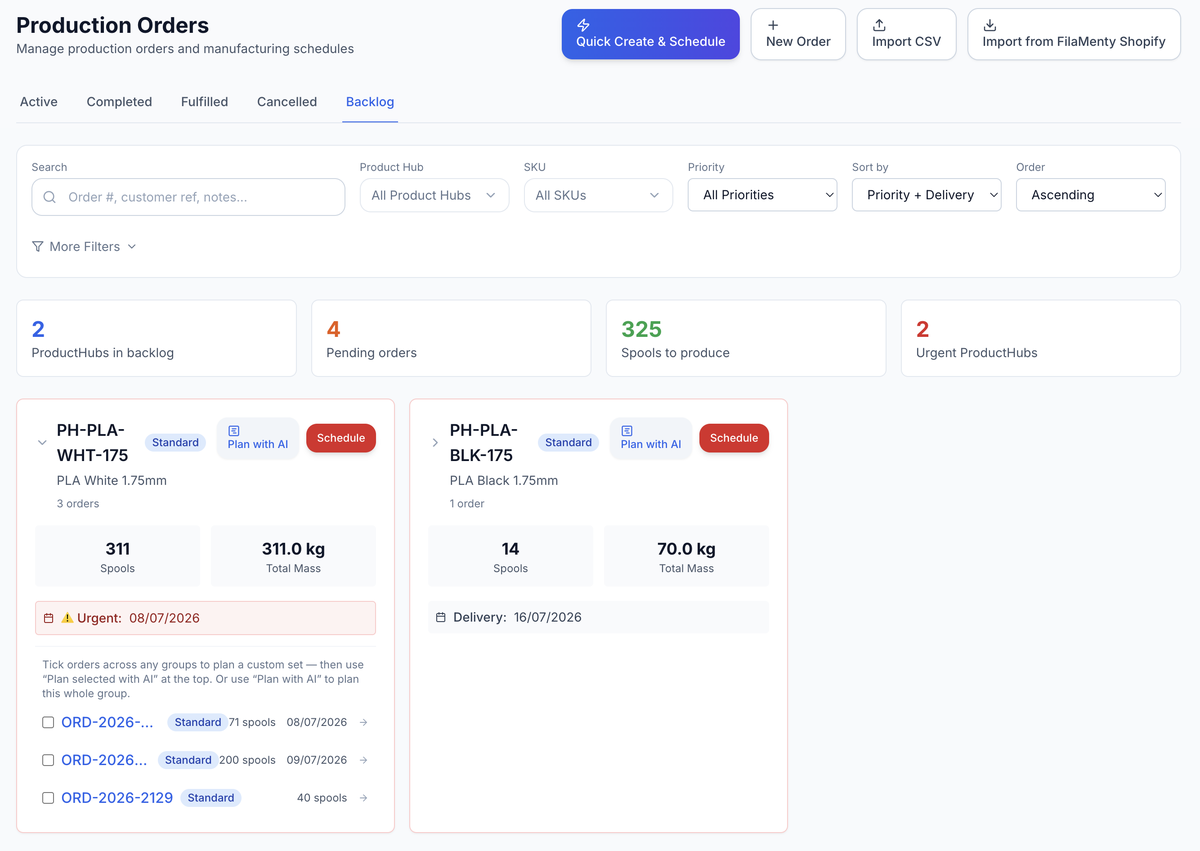
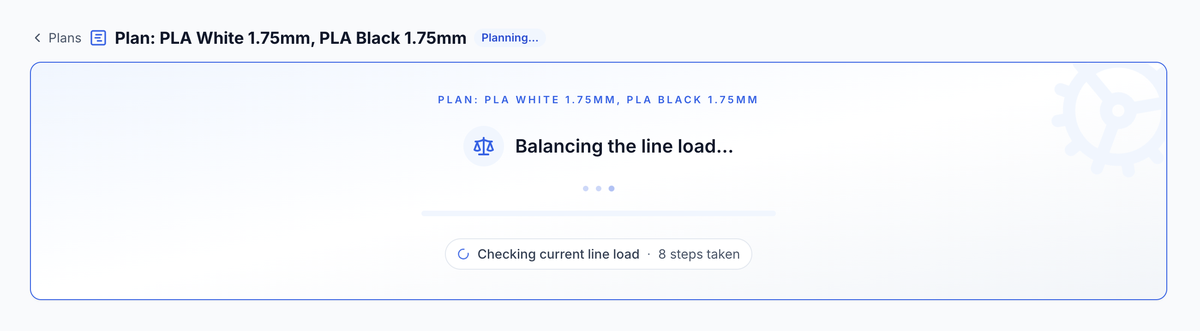
The planner makes the next schedule easier to commit; the advisor helps technologists learn from completed spool and process evidence.
AI Production Planning Agent starts from selected orders/backlog, manager directives, scenarios, editable assignments, revisions, and scheduler-validated commit.
AI Process Advisor is beta decision support: it surfaces process signals and records reasoning/outcomes for technologists without silently controlling equipment.
We map acqSYS to your lines, order sources, product variants, formulations, process targets, planning method, QC pain points, label templates, public verification needs, reporting gaps, integration scope, and AI roadmap appetite.