Features / Run the line & cut scrap

03 Digital job documentation

Put product knowledge inside the job, not beside it.

acqSYS turns the recipe, machine setup, process settings, order context, and operator instructions into live documentation that travels with the job. Monitoring shows the signals and the operator dashboard runs the floor — job documentation is the knowledge delivered into the job.

Use the demo to open a job and read the documentation exactly as the operator sees it.
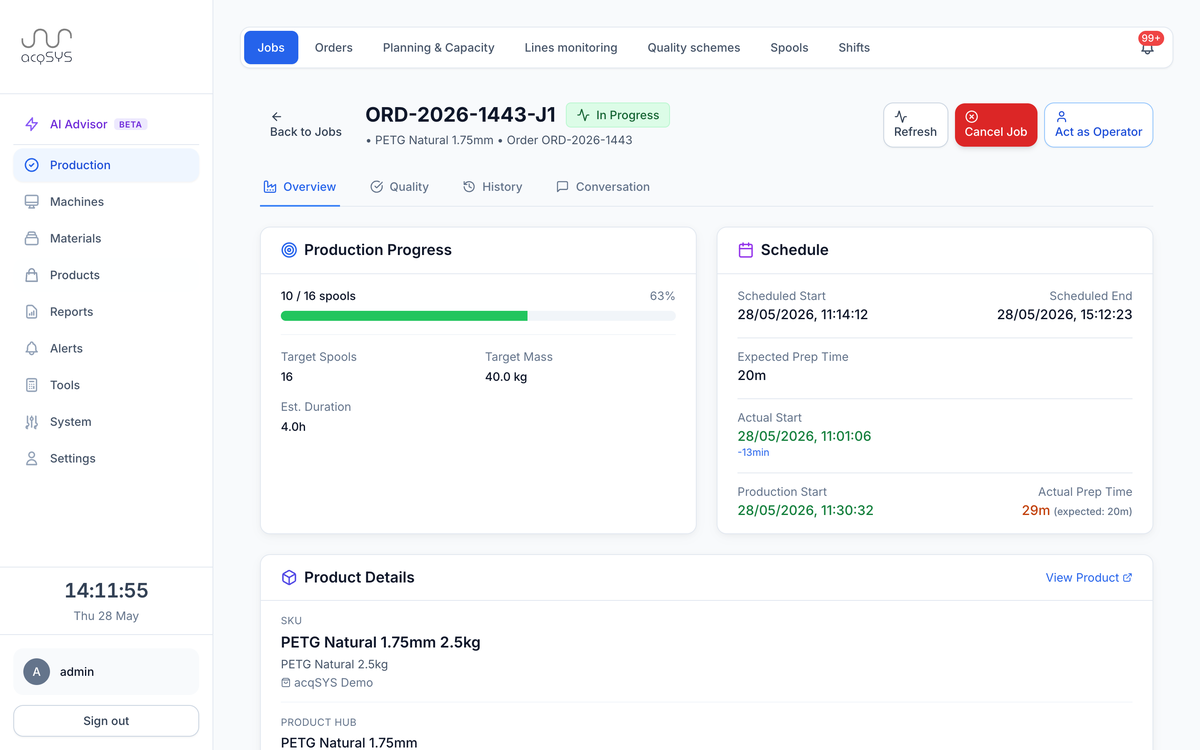
Job detail for ORD-2026-1443-J1 · PETG Natural 1.75 mm, in progress: production progress, schedule, and product details.
Prep · 15 m actual vs 20 m expected
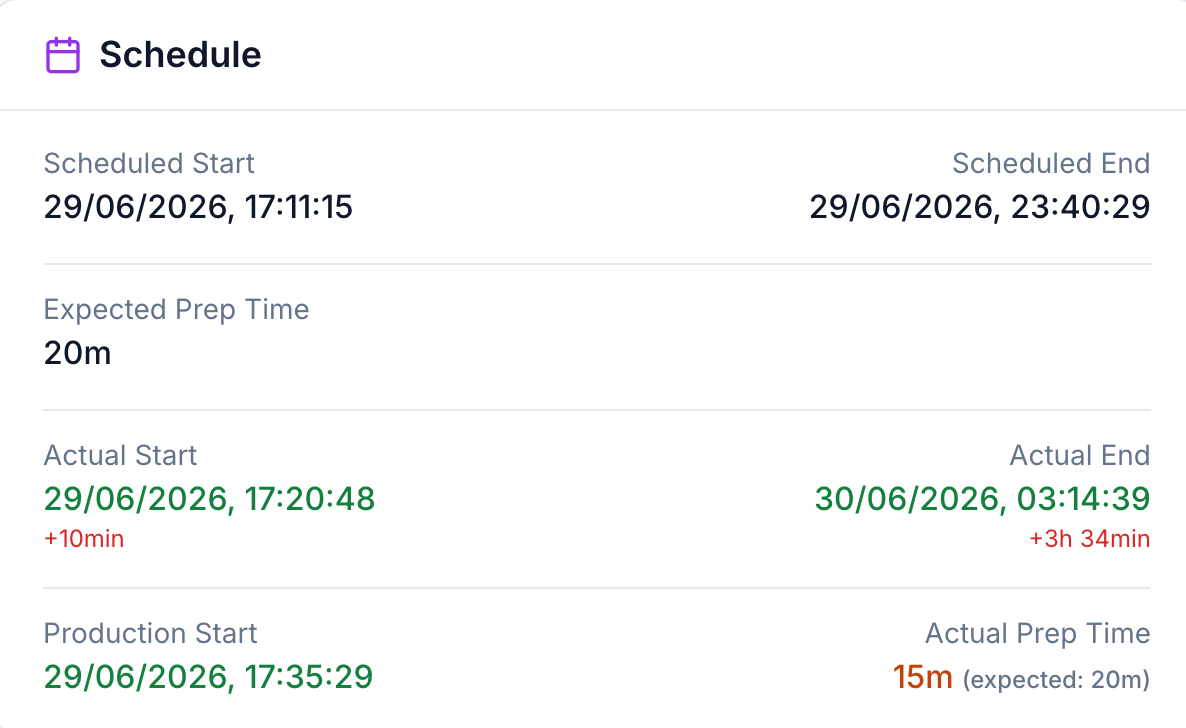
Job schedule card comparing scheduled and actual start times, and the expected 20-minute prep time against the actual 15 minutes.
Primary user

Operator + technologist

The people who need formulation, setup, process-target, and trial context at the exact moment of production.

The model behind it

ProductHub → SKU

Manufacturing truth stays separate from commercial identity — the full model lives in Machines & formulation.

See it in the demo

Recipe handoff

Open one job and find the formulation, machine setup, QC scheme, and label context traveling with it.

What you get

Everything the operator needs arrives with the job.

The job arrives carrying its manufacturing setup, the commercial identity it ships under, and the instructions for this specific run.

01 — From the product model

Setup context

Formulation, process settings, QC scheme, and compatible machine setup the job inherits.

02 — For the package

Commercial context

Variant, package mass, brand, EAN, reel, and label context the finished spools ship under.

03 — For this run

Job notes

Planner or manager instructions delivered in the same workflow as production actions.

The moment

Documentation fails when it is correct somewhere else.

A recipe, process target, trial note, packaging rule, or quality requirement can be accurate in a document and still be missed on the floor. The problem is not storage; it is whether the job carries the knowledge into execution and review.
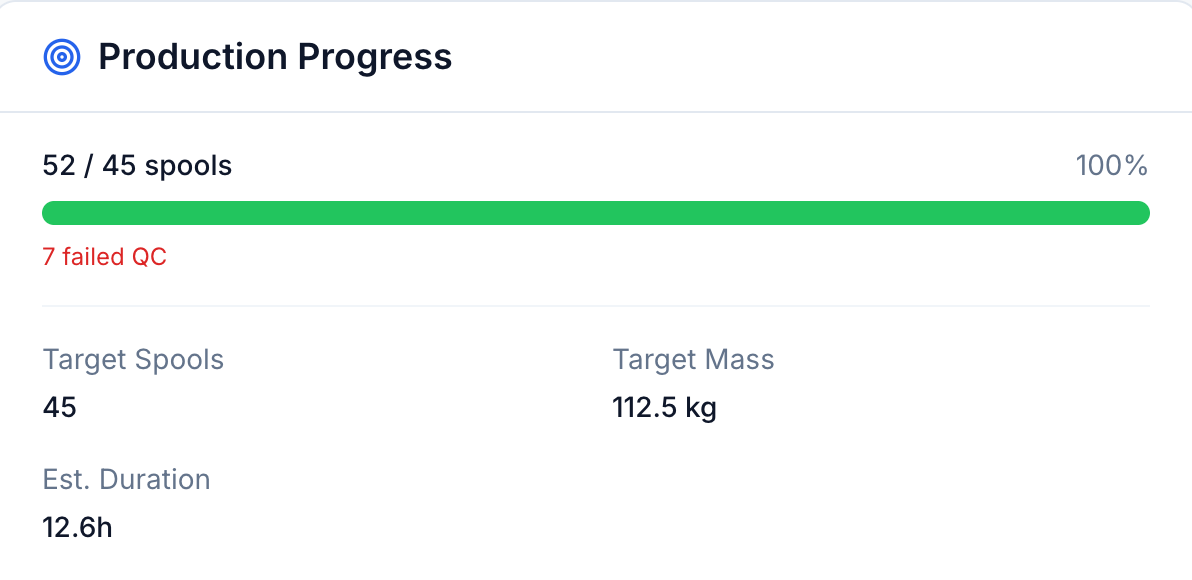
52/45 spools · 7 failed QC
Production progress for a job: 52 of 45 planned spools at 100%, 7 failed QC, target mass 112.5 kg, and estimated duration 12.6 hours.

Production knowledge at the point of use. The same product and process data used by planning and QC is available during execution.

With acqSYS What changes

  • The job carries formulation, material percentages, process settings, and machine setup from the product model.
  • Packaging, brand, and label context for the finished spools travel with it.
  • Instructions, history, and the QC scheme arrive in the same view — nothing to cross-reference on the floor.
01 — Workflow

The recipe reaches the operator before it can be copied wrong.

The documentation path follows how filament is actually defined, tested, produced, and improved.

  • Plan job — Use order and line context to schedule a job with the right production definition.
  • Inherit setup — The job pulls formulation, diameter, process settings, and QC scheme from the product model.
  • Add packaging — Brand, package mass, EAN, reel, and label context attach where the run needs them.
  • Guide operator — Show setup, targets, notes, and history in the operator dashboard.
Ingeo 4043D · 3% masterbatch
Material formulation from ProductHub: Ingeo 4043D PLA base material with black masterbatch at 3%.
In the record

Knowledge captured

  • Base material, masterbatch, additive, and formulation context.
  • Machine sequence and process-setting targets.
  • SKU, reel, label, and public verification references.
Around the job

People helped

  • Operators get one source for what to run.
  • Technologists keep recipe and setup intent aligned.
  • QA and managers can review what instructions existed at the time.
Risks removed

Common failures avoided

  • Old setup sheets copied into new jobs.
  • Commercial SKU fields mistaken for manufacturing recipe truth.
  • Investigations missing the instruction context operators saw.

Honest scope Documentation is live data, not a static attachment.

acqSYS works best when product, SKU, machine, QC, label, and instruction data are maintained in the system. Uploaded documents can help, but the production and process workflow should not depend only on PDFs.

acqSYS advantage Formulation, SKU, and the spool record stay one connected chain.

The ProductHub → SKU → spool architecture lets acqSYS connect formulation, commercial identity, job execution, QC, labels, and reports without flattening everything into one SKU field.

Connected features

Knowledge flows in with the job and out as evidence.

Job documentation draws from the product model and delivers it into execution and quality.

See Digital job documentation in action

Replace the paper binder with the job your operator sees.

Bring a recipe and a setup sheet — we will show how they become documentation that travels with the job.