Features / Plan & optimize

02 Production planning

Move from backlog pressure to executable line work.

acqSYS turns customer demand and engineering needs into scheduled jobs — backlog grouped by ProductHub, line configuration and capacity checked, preparation time counted, delivery urgency kept visible. For complex weeks, the AI Production Planning Agent generates optimized, editable scenarios that managers review and commit through the same scheduler validation — so delivery risk surfaces in the plan, not on the floor.

Use the demo to schedule a batch from backlog into capacity planning, then compare that with AI-assisted scenario planning.
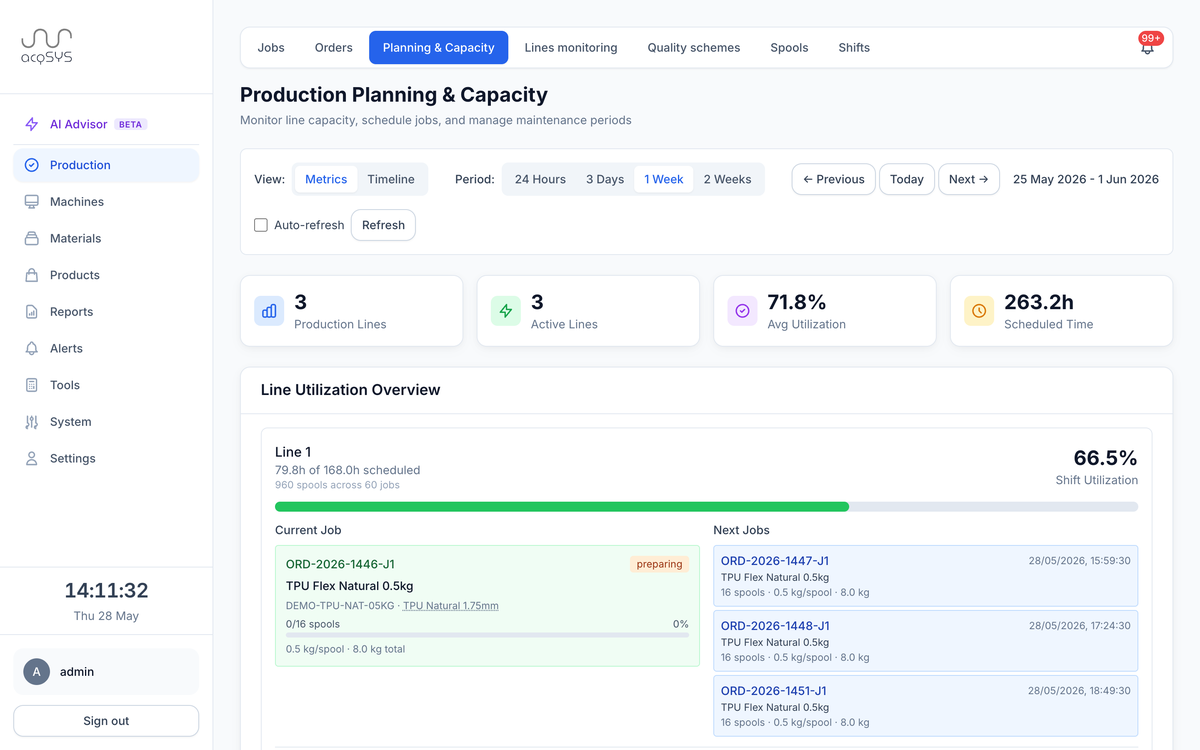
Production planning and capacity: 3 production lines, 3 active, 71.8% average utilization, 263.2 scheduled hours, and per-line utilization with current and next jobs.
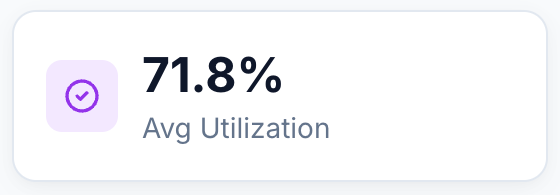
Avg utilization · 71.8%
Average utilization 71.8% across three lines.
What you get

A schedule your lines can actually run.

Backlog grouped by product family, capacity and preparation time checked before commit, and jobs that keep their order context all the way to the operator.

Primary user

Planner + manager + technologist

The team balancing due dates, line fit, product families, trials, and realistic production windows.

Planning unit

Production job

Orders become jobs scheduled against a line configuration and then released to operators.

Best demo

Urgent backlog

Take a real priority mix and show how it becomes line work.

Backlog view

Grouped demand

Pending and partially scheduled orders grouped by manufacturing formulation.

Capacity check

Before commit

Line, configuration, preparation time, reservations, and conflict context before commit.

Schedule control

Stay flexible

Create, release, reschedule, unschedule, or split jobs without losing order context.

The agent

Scenario planning

Generate, edit, revise, and commit manager-reviewed production scenarios through the same scheduler checks.

The moment

The backlog is usually clear. The executable plan is the hard part.

A filament producer usually knows what must ship. The hard part is turning that list into jobs a real line can run — in an order that survives the week.

Before Planning by negotiation

  • Planning runs from spreadsheets, memory, and line-by-line negotiation.
  • Similar products are batched late and urgent orders interrupt the plan.
  • Setup time is treated like a footnote instead of real capacity.

With acqSYS What changes

  • Backlog groups orders by ProductHub so similar manufacturing work can be planned together.
  • Scheduling checks configuration availability, machine reservations, preparation time, trial needs, and conflict context before committing jobs.
  • Jobs keep their order, SKU, ProductHub, reel, delivery, and quantity context as they move to operators and reports.
01 — Workflow

Turn an urgent backlog into scheduled line work in one pass.

The planning flow is built around the production order, the product family, the engineering trial, and the line configuration that can actually run the work.
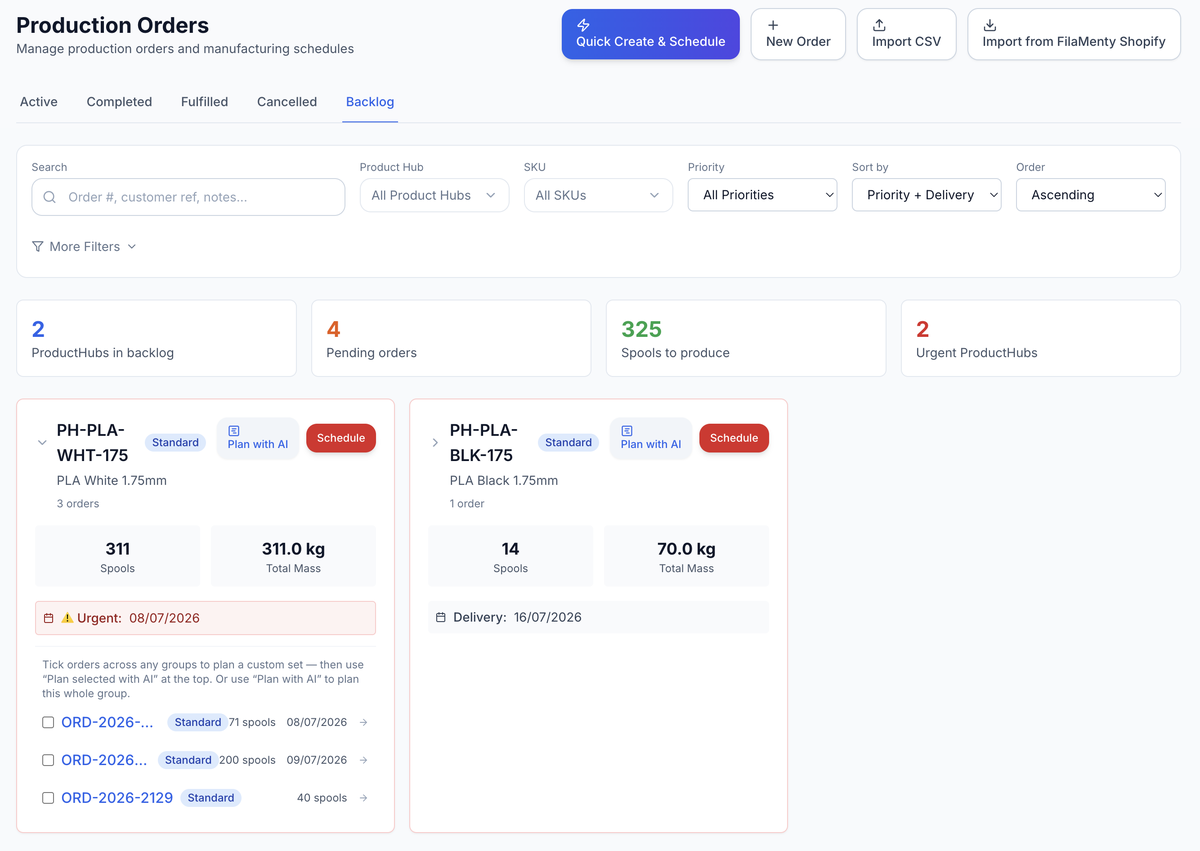
  • Group demand. View order counts, spool totals, remaining spools, priority, and earliest delivery by ProductHub.
  • Choose slot. Find capacity using line configuration, planned window, and preparation-time assumptions.
  • Plan with AI. Ask the agent to propose scenarios from selected demand and manager directives.
  • Commit jobs. Create scheduled jobs and reservations that preserve order and product context.
  • Adjust reality. Reschedule, release, pause, unschedule, or close jobs as the day changes.
The order backlog: 2 ProductHubs, 4 pending orders, 325 spools to produce, with per-group Plan-with-AI and Schedule actions.
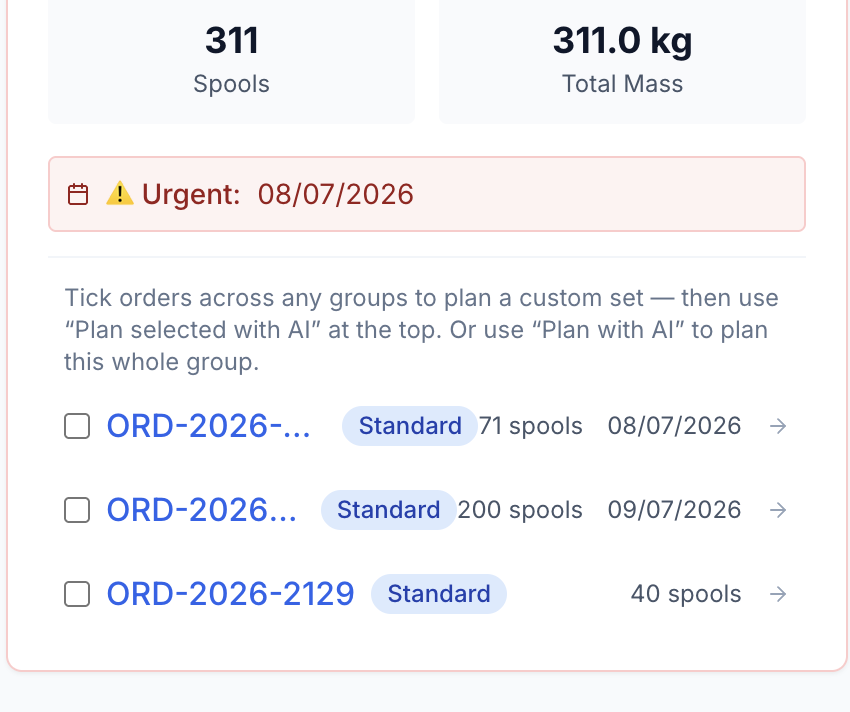
Urgent · 08/07 · 311 spools
Backlog group PH-PLA-WHT-175: 311 spools, 311.0 kg across 3 orders, urgent for 8 July, with orders selectable for Plan with AI.
02 — Planning that stays connected

Every scheduled job carries its order, product, and prep time straight to the operator.

Planners are not only placing blocks on a calendar. They are creating jobs that operators, QC, reports, and fulfillment will continue to use.
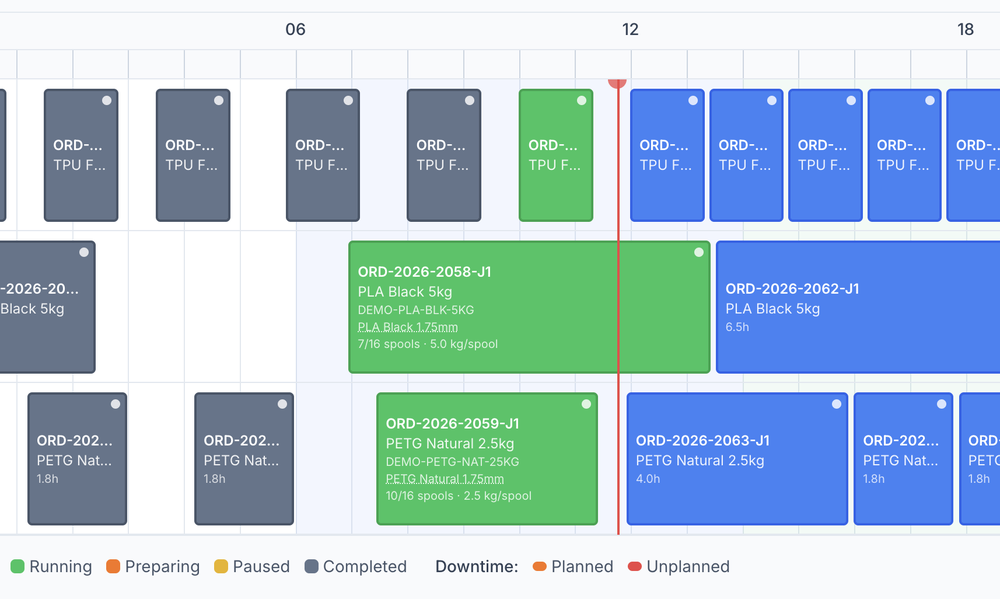

  • Planner decisions. Which orders or trial runs can fit together; which configuration and line can realistically produce or test them; where urgent delivery risk should override normal batching.
  • Evidence created. Scheduled jobs with ProductHub and order context; line reservations and estimated duration; preparation assumptions that later become OEE context.
  • Operational payoff. Less firefighting from hidden conflicts; clearer handoff from planner to operator; better explanation when delivery dates move.
Capacity timeline: completed, running, and planned jobs scheduled across three production lines, with a live now-marker.
43.3% avg utilization · 84.3 h
Capacity summary: 3 production lines, 3 active, 43.3% average utilization, 84.3 hours scheduled.

AI Production Planning Agent From backlog to reviewed scenarios.

  • Start from selected orders or backlog groups, then add manager directives in normal production language.
  • Compare scenarios, edit line/configuration/spool-count/prep/note/start assignments, and ask the agent to revise from those edits.
  • Commit the accepted scenario through acqSYS scheduler validation so conflicts stay visible before jobs are created.

Explore the AI Production Planning Agent

Boundary Planning assistance, not silent scheduling.

  • The agent proposes and revises scenarios for planners and managers.
  • Human review stays in the workflow before commit.
  • The validated scheduler remains the authority for job creation and conflict handling.
Scope & advantage

A plan that stays tied to the jobs, spools, and QC results it creates.

Honest scope The schedule is a living production promise.

  • acqSYS supports planning and rescheduling, but a useful plan still depends on accurate line availability, product setup, preparation policy, trial discipline, and real operator follow-through.

acqSYS advantage Every job stays tied to its order, its spools, and its QC evidence.

  • Planning is tied to ProductHub, SKU, reel, production job, operator workflow, spool counts, QC, and fulfillment rather than being a detached calendar.
Connected features

The schedule stays connected to the work it creates.

See Production planning in action

Bring the backlog you keep fighting in spreadsheets.

We will build the planning demo around your orders, ProductHub families, line configurations, preparation rules, and delivery urgency.