Features / Connect & sustain

03 Alerts & notifications

Route production risk before it becomes background noise.

acqSYS turns production events, process thresholds, quality patterns, operator comments, and scheduled checks into governed alerts with recipients, severity, acknowledgments, resolution notes, and delivery channels.

Use the demo to route a QC fault, idle line, job overrun, or operator comment into follow-up.
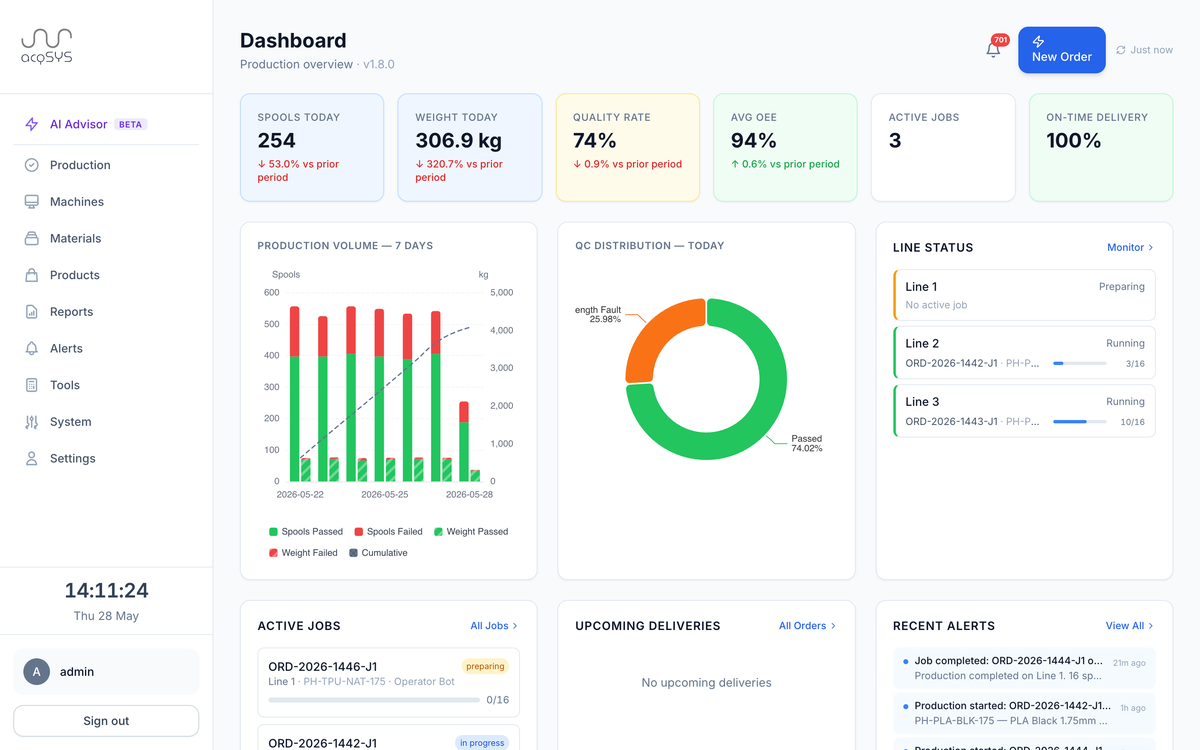
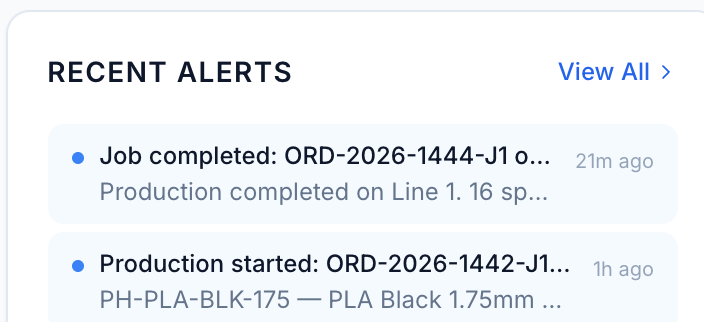
The acqSYS command center dashboard with recent alerts.
Time-stamped · 21 m ago
Recent alerts: job completed ORD-2026-1444-J1 21 minutes ago, production started ORD-2026-1442-J1 an hour ago.
Primary user

Supervisor + manager

The team deciding who needs to act and how urgent the follow-up is.

Channels

In-app, email, Telegram, webhooks (Enterprise)

Channels are configured by deployment and rule, not sprayed to everyone.

Best demo

Operator comment

Show a floor comment becoming a tracked manager follow-up.

The moment

Alerting fails when every signal becomes everyone's problem.

A delayed job, idle line, failed spool, drifting process signal, or operator comment needs a specific owner and a clear trail. Without routing rules, teams either miss the issue or numb themselves to constant messages.
In acqSYS

What changes in acqSYS

  • Rules can be event-based, threshold-based, or pattern-based with severity and cooldown context.
  • Recipients can be people, roles, or external addresses with channel preferences.
  • The alert center supports acknowledge and resolve states with notes so follow-up is visible.
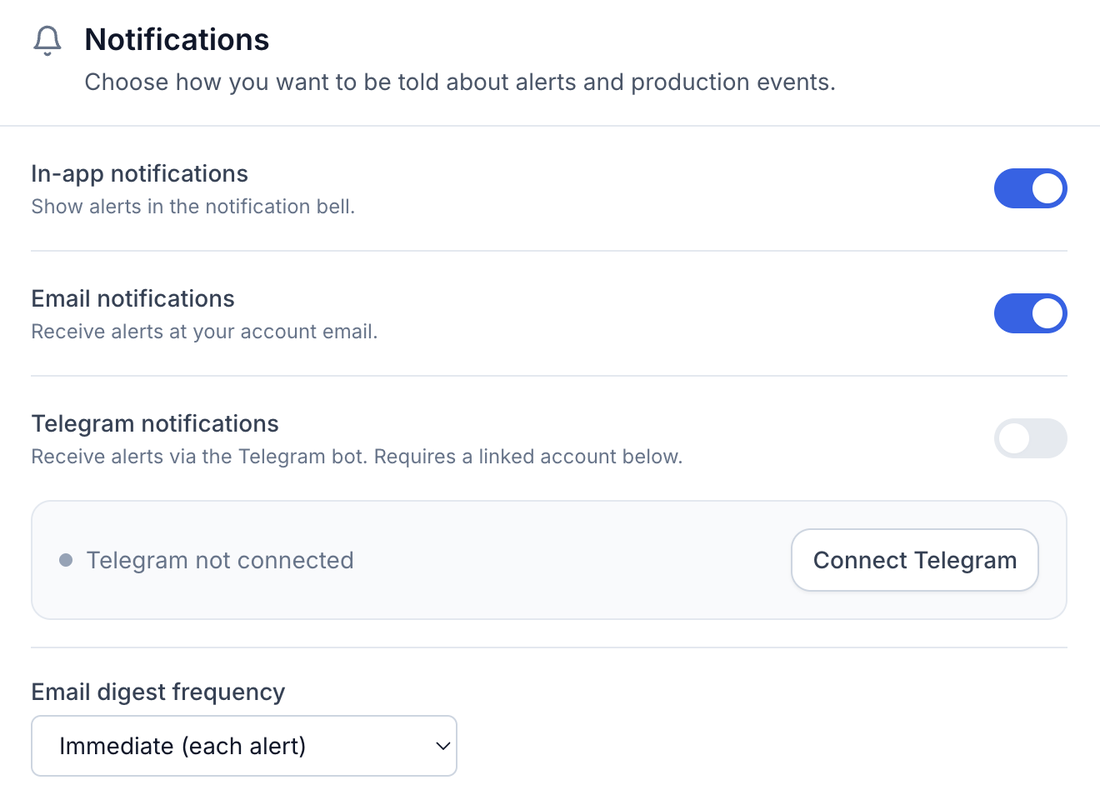
Notification settings: in-app and email notifications on, Telegram available via a linked account, and immediate email digest frequency.
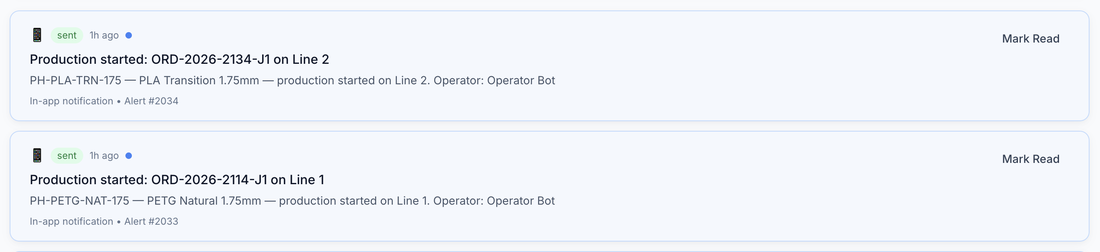
Sent · in-app · alert #2034
Notification feed: production started for ORD-2026-2134-J1 on Line 2 and ORD-2026-2114-J1 on Line 1, both sent as in-app notifications an hour ago.
What you get

Every risk signal gets an owner and a resolution.

Event alerts, process thresholds, and acknowledge-resolve governance keep the alert center a working list your team acts on — not a feed it learns to ignore.

01 — Events

Event alerts

Job, order, spool QC, line status, downtime, and operator-comment events.

02 — Thresholds

Thresholds

OEE, quality, downtime duration, diameter drift, speed deviation, preparation duration, and scrap rate.

03 — Governance

Governance

Acknowledge, resolve, log delivery attempts, and keep the alert center useful.

Workflow

From event to accountable follow-up

Trigger, route, acknowledge, resolve.

  • Trigger. Job, order, spool, line, downtime, telemetry, or comment event crosses a rule.
  • Route. Severity, recipients, channels, and cooldown rules shape delivery.
  • Act. The owner opens the connected job, line, or spool record and acknowledges the alert.
  • Resolve. Resolution notes and notification logs preserve what happened.
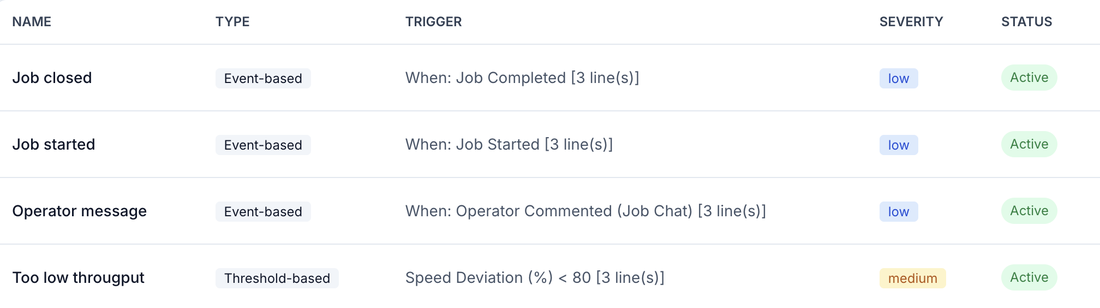
Threshold · speed deviation < 80
Alert rules: job closed, job started, and operator message events plus a threshold rule firing when speed deviation drops below 80% — all active.

Exceptions stay attached to production context. Alerts matter because they can point back to the job, order, line, spool, comment, or metric that created them.

Common triggers

  • Order overdue or fulfillment at risk.
  • Spool QC failed or critical diameter fault.
  • Line idle, preparation timeout, job overrun, or operator comment.

Routing controls

  • Severity and cooldown rules.
  • Role, user, email, Telegram, and in-app targets; webhook targets on Enterprise.
  • Notification retries and read tracking.

Operational value

  • Less dependence on hallway escalation.
  • Cleaner shift handover and manager visibility.
  • Better history for recurring quality or downtime patterns, ready for technologist and AI Process Advisor beta review.
Honest scope

Alerts need governance to stay useful.

The goal is not to notify everyone about everything. Useful deployments tune recipients, thresholds, cooldowns, channels, and escalation language around plant roles. Threshold and pattern rules are available from Professional; webhook delivery is Enterprise.

acqSYS advantage

Every alert opens the record that caused it.

Alert context includes the production job, order, spool, line, or threshold that raised it rather than a generic system-health ping.

Connected features

Everything feeds the same production record.

See Alerts & notifications in action

Route the alerts your team will actually act on.

We will map your escalation rules, shift coverage, notification channels, production-risk triggers, and process thresholds into an alert workflow.